API.md: everything @openvidstudio/core exports
Written because the alternative is reading the library source. If you are an agent
about to write a scene, this file has every prop you need and you should not have to
open packages/core/src.
These are building blocks, not a template. At peak and mid creative level the agent is
expected to compose scenes from them against the video's own design.ts, and to write its
own component when the brief's motif needs something the library does not have. Every
primitive below has a still, rendered for real by scripts/build-api-gallery.mjs. The MCP
tools are listed in TOOLS.md.
Import everything from the package root:
import { CinematicScene, Layer, TerminalReplay, E, color } from "@openvidstudio/core";
Scene wrapper
CinematicScene
Wraps every scene. Grain, vignette and colour grade are always on, and the camera rig lives inside it. Nothing renders outside one.
| Prop | Type | Default | Notes |
|---|---|---|---|
camera | CamKeyframe[] | required | At least two, or nothing moves |
stageWidth | number | composition width | 1920 in 16:9, 1080 in a 9:16 reel. Camera x/y are in stage px, so the centre is 960,540 or 540,960 |
stageHeight | number | composition height | |
variant | "dark" | "light" | "dark" | |
grain | number | 0.05 | |
vignette | number | 0.32 | |
overlay | ReactNode | Screen space, not camera transformed. Captions and title cards go here | |
children | ReactNode | required |
The overlay is not optional knowledge. Anything inside children moves with the
camera, so a caption placed there drifts off screen as the shot pushes in. Captions,
title cards and dips belong in overlay.
Camera
CamKeyframe
type CamKeyframe = {
  frame: number;
  x: number;        // focal point on the stage, lands at frame centre
  y: number;
  scale: number;    // 1 = stage px equals output px, 1.6 = 160% close up
  rotX?: number;
  rotY?: number;
  rotZ?: number;
  easing?: (t: number) => number;  // easing INTO this keyframe
};
The one thing that catches everyone. The visible area is the stage divided by
scale. At scale: 1.4 only 1371x771 of a 1920x1080 stage is on screen, so content
laid out at full stage width is cropped at the frame edge, and the render does not
warn. The binding number is the scene's highest scale, not its first.
Rules of thumb:
- Real captures with text: 1.05 to 1.6. STYLE.md requires the camera to sit inside the UI rather than showing a flat full-screen grab, but past 1.6 the product text goes soft. Captures without text to read can push further.
- Constructed panels: 1.04 to 1.15. They are already built at stage size, so they need a gentle push, not a zoom.
- Run
validate_scenesand it will tell you which scenes are cropping. That is a read of the source. Passrender: true(afterstitch_composition) to measure the real rendered frames instead: cropped text, text below the design system's minimum size, on-screen text that takes longer to read than the beat lasts (3 words/sec), and beats that never change.
Layer
| Prop | Type | Default | Notes |
|---|---|---|---|
depth | number | 0 | Distance from the focal plane. 0 is the focal plane, positive is behind it, negative is in front |
maxBlur | number | 10 | Blur in px at ` |
style | CSSProperties |
Depth is a place in space. A layer is moved back (or forward) by depth * 170 px and scaled
about the stage centre so it looks the same size, so with the camera still on the stage centre
every depth shows the same picture. When the camera pans, the rig's perspective does the rest:
a layer at depth 1 moves 0.89 as far as the focal plane, depth 2 about 0.80, and a layer at
depth -1 moves 1.14 times as far. Depth also orders layers: one behind stays behind however the
JSX is ordered. A Layer has to be a direct child of the rig's stage (a plain wrapper div
in between flattens the depth).
One focal plane per shot. Blur on a layer softens any text in it, so pass maxBlur={0} to a
layer that carries text.
CameraRig, useCamera
CinematicScene sets these up for you. Reach for them only when building a scene
that needs the camera state directly.
CameraRig also takes viewportWidth and viewportHeight, the size of the window the camera
looks through (default: the composition's size). A rig nested in a smaller box, such as
DirectedShot, passes that box's size. resolveCamera(keyframes, frame) returns the camera
state the rig renders at a frame, for code that needs to know where the camera is without
rendering.
useCamera() returns the camera state plus stageWidth and stageHeight (type CameraInfo), or
null outside a rig. projectToScreen(camera, viewportWidth, viewportHeight, x, y) returns where
a stage point lands on screen, through the same rotation, scale and perspective the rig applies.
DirectedShot
A nested camera rig that turns a flat capture into a directed move: a push-in on one point,
an optional tilt, optional depth of field and motion blur, handheld sway, and a cursor, all in
the capture's own pixel space. It owns its own CameraRig, so it sits inside a CinematicScene
(or anywhere) without touching that scene's camera.
<DirectedShot
  src={staticFile("images/dashboard.png")}
  focus={{ x: 1560, y: 280 }}
  push={1.9}
  tilt={{ y: -4, x: 2 }}
  move={{ from: 0, to: 70 }}
  cursor={{ path: [{ frame: 0, x: 900, y: 600 }, { frame: 55, x: 1500, y: 300 }], clicks: [60] }}
/>
| Prop | Type | Default | Notes |
|---|---|---|---|
src | string | Image URL, usually staticFile("images/<beat>.png"). Use children for anything else | |
focus | { x, y } | the middle | The point in the capture, in capture pixels, the move pushes into |
push | number | 1.4 | End zoom relative to fitting the whole capture in the box. 1 holds the full frame. Keep it at or under 1.6 when the capture has text |
shot | ShotName | A named move (see Shots below). It supplies zoom, start and end position, tilt, easing and length; push, tilt and move given explicitly win | |
tilt | { x?, y?, z? } | Rotation in degrees at the end of the move. 2 to 6 reads as depth | |
move | { from?, to?, easing? } | 0 to 90 | Frames, local to the scene. Defaults to E.cinematic; a shot sets its own length |
depthOfField | number | 0 | Blur in px away from the focal point. Off by default: blur smears product text. Never use it on a shot whose text has to be read |
protect | { x, y, width, height }[] | Regions of the capture, in capture pixels, that stay sharp under depthOfField. Hard edged, and they follow the camera through a push and a tilt | |
rackTo | { x, y } | Rack focus: the sharp region slides from focus to this point, in capture pixels, across the move | |
blur | boolean | { shutterAngle?, samples? } | on for whip, else off | Motion blur while the camera moves, and only then. true is a 180 degree shutter with 8 samples. Costs samples times the render work for those frames |
handheld | number | 0 | Handheld sway, the largest drift in px at 1080p. 3 to 8 reads as a person holding the camera |
shake | number[] | Local frames of impacts. The shot jolts 12px (at 1080p) on each and settles within about 24 frames | |
cursor | { path, clicks? } | A CursorActor path and click frames, in capture pixels. The cursor sits above the blur layers and is never blurred | |
captureWidth, captureHeight | number | 1920, 1080 | The capture's natural size |
width, height | number | the composition | The box the shot fills |
The move starts on the whole capture and ends pushed in on focus. The end centre is clamped
so the camera never leaves the capture (empty stage reads as a mistake). Sway and shake move the
whole shot, cursor included, and the shot is scaled up slightly so the shift never shows an edge;
with neither set, nothing extra is rendered.
directedKeyframes({ W, H, captureWidth, captureHeight, focus?, push?, tilt?, move?, shot? })
returns the two camera keyframes a DirectedShot renders with, so resolveCamera can read the
camera at any frame without mounting the component.
| Start of the move | End of the move |
|---|---|
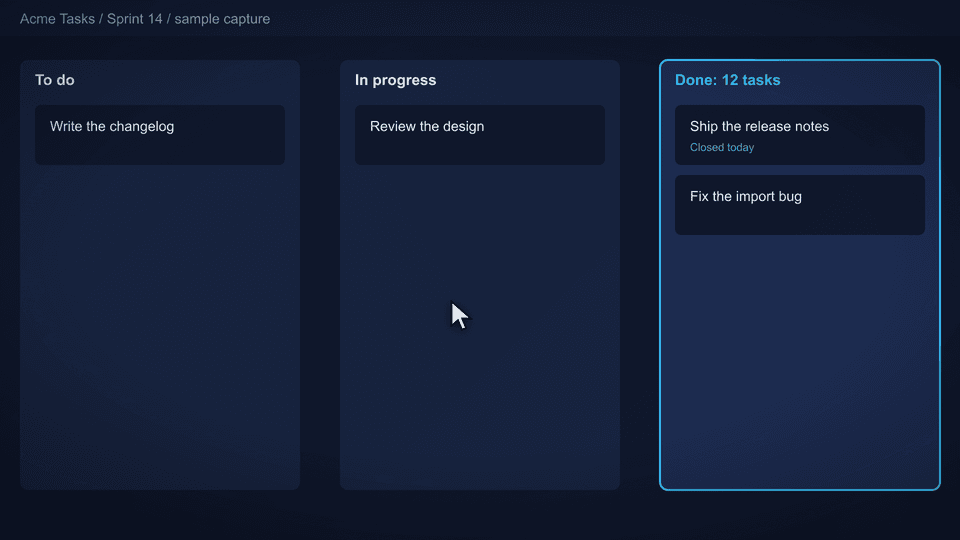 | 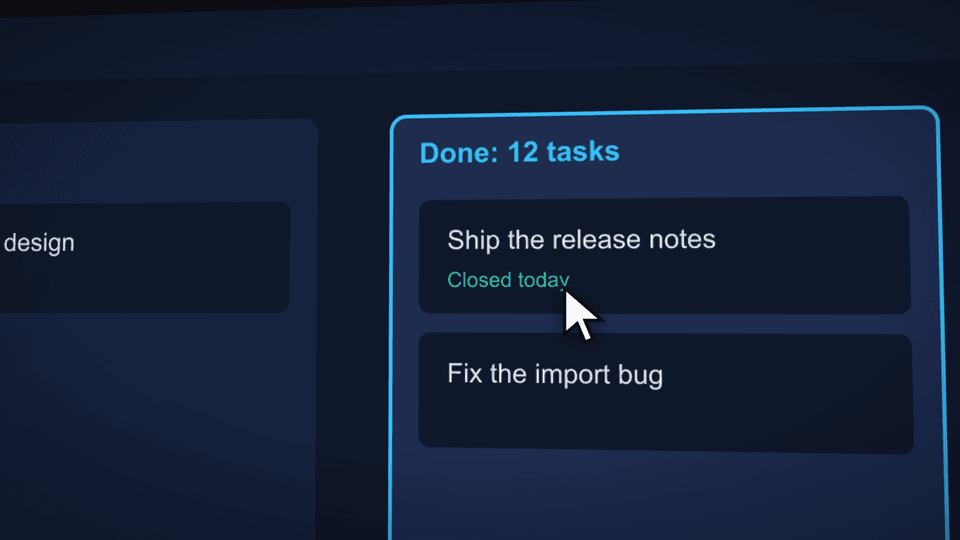 |
Shots: resolveShot, SHOT_NAMES
<DirectedShot shot="whip" /> applies a named move. Each is plain data from a pure function, so a
scene can read it too: resolveShot(name, { focus?, push?, captureWidth?, captureHeight? }) returns
{ startScale, endScale, startFocus, endFocus, startTilt, tilt, easing, moveFrames, blur }
(zoom relative to fitting the whole capture, camera positions in capture pixels, tilt in degrees).
push overrides the preset's zoom.
| Shot | The move | Zoom | Frames |
|---|---|---|---|
pushIn | From the whole capture in to the focus. The default workhorse | 1 to 1.4 | 90 |
pullOut | Starts close on the focus and backs out to the whole capture, to reveal context | 1.5 to 1 | 90 |
pan | Same zoom throughout; the camera slides sideways onto the focus with a slight yaw | 1.35 | 75 |
whip | A fast slide in from the side, E.whip easing, motion blur on | 1.5 | 18 |
orbit | The camera swings around the focus: rotY goes from -5 to +5 degrees | 1.15 to 1.35 | 120 |
dutch | A push that rolls the horizon off level, 3.5 degrees | 1 to 1.35 | 90 |
hold | The whole capture with a 2% creep so it is never dead. For action inside the frame: a cursor, typing | 1 to 1.02 | 60 |
drift | Ambient: a long, small move toward the focus with a sub-degree wander in the tilt | 1 to 1.06 | 150 |
Each move, caught half way through (the dashboard capture, focus on the Done column):
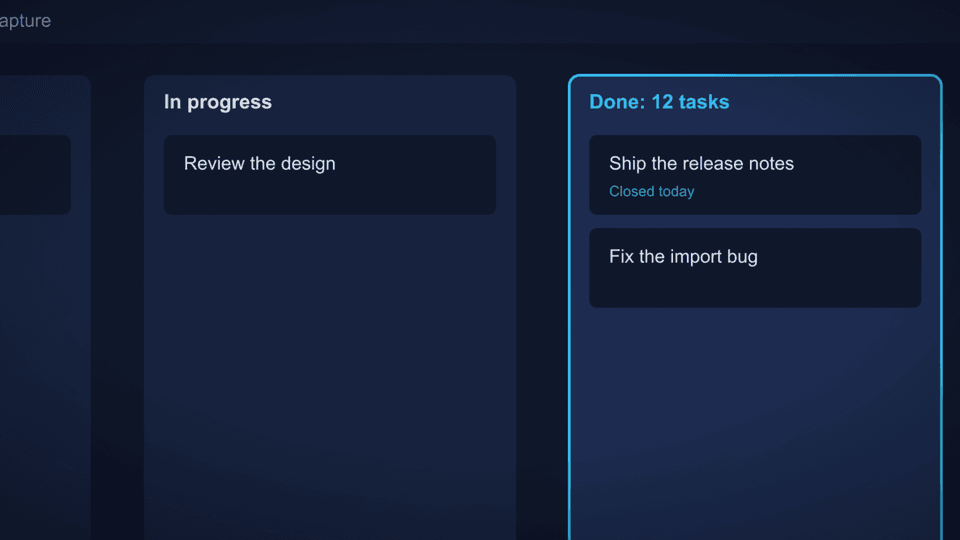 pushIn | 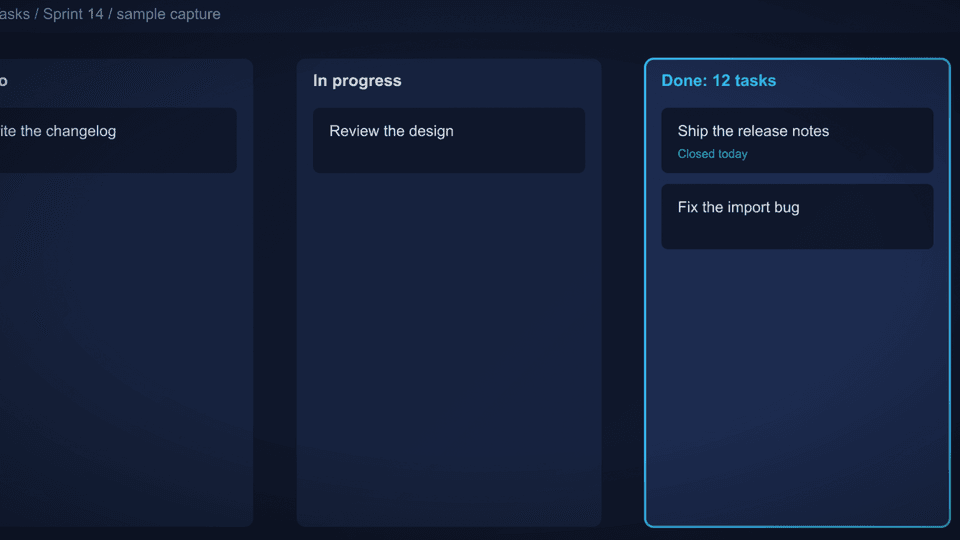 pullOut | 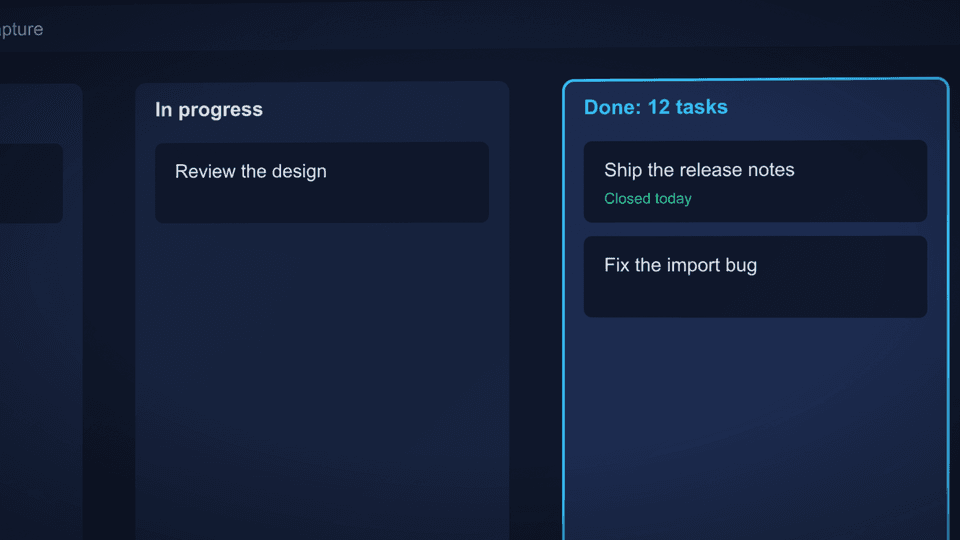 pan |
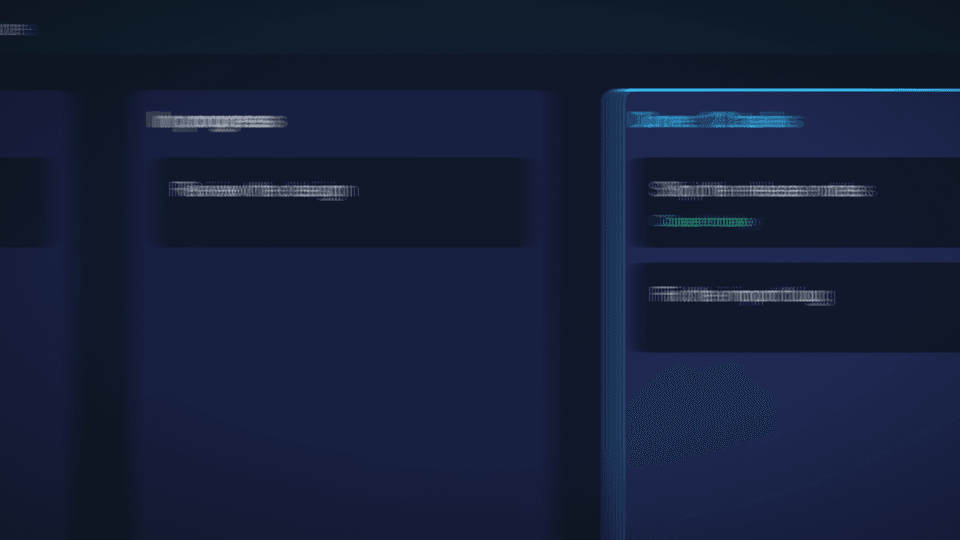 whip | 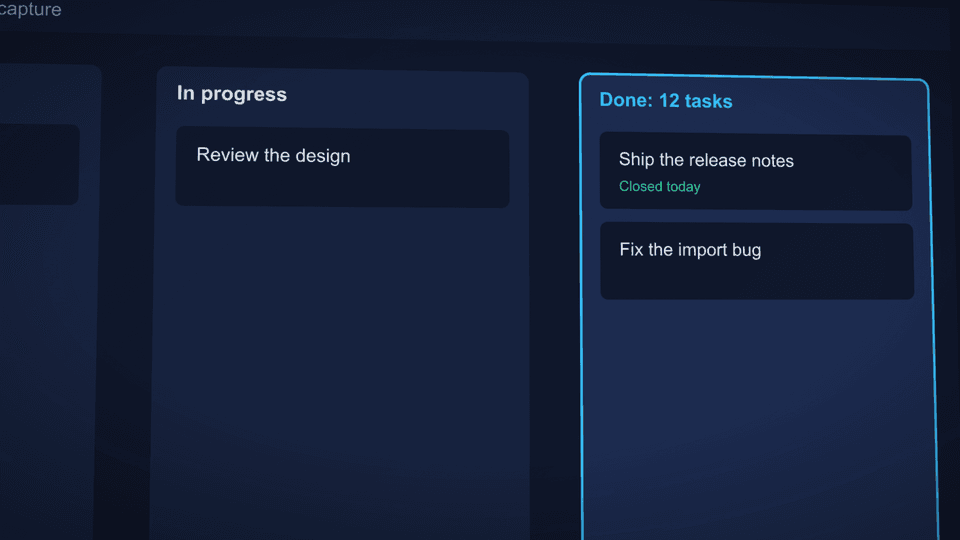 orbit | 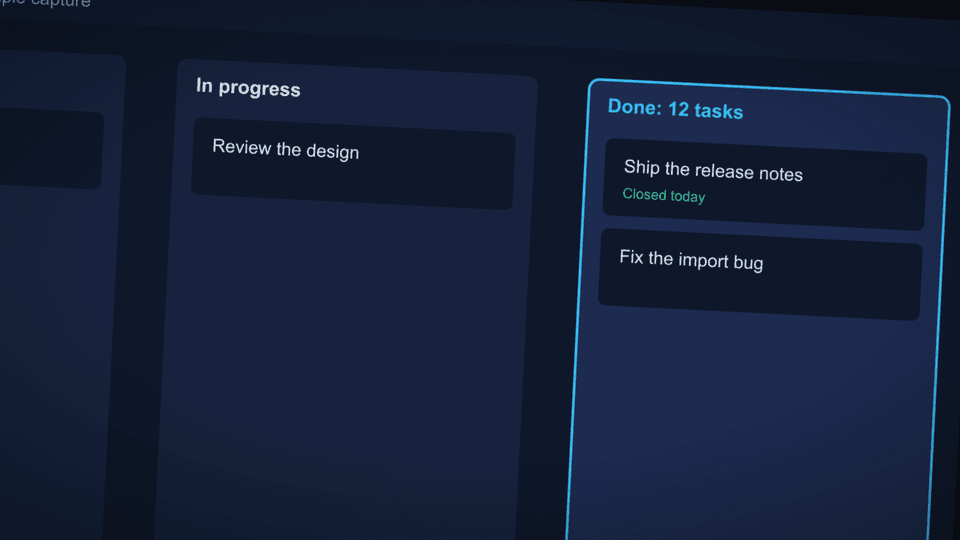 dutch |
LayeredShot
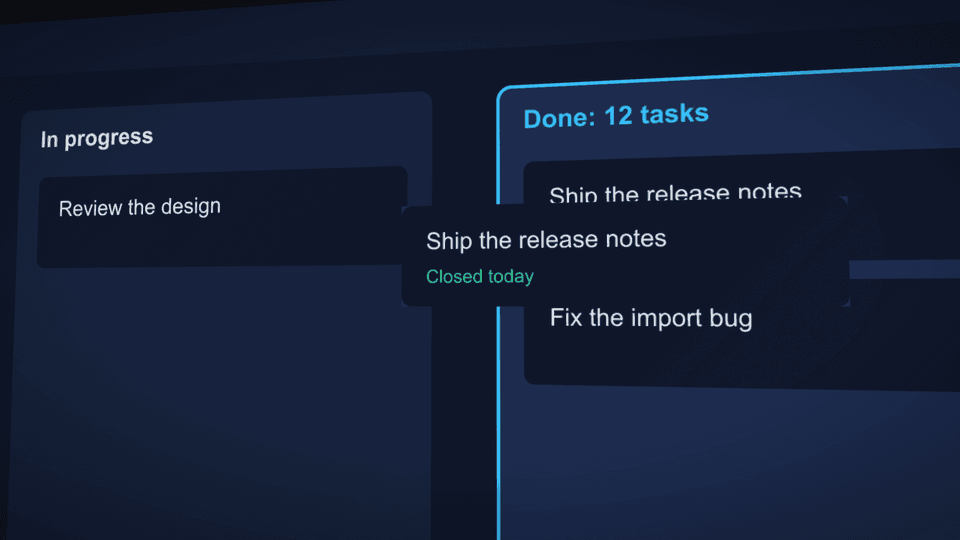
A DirectedShot whose picture is a stack of layers instead of one flat image: a background plus
the elements that float above it, each at its own depth, so a push and a tilt make them slide
against each other. At rest the stack composites to the same picture as the flat capture. Takes
every DirectedShot prop except src and children, plus:
| Prop | Type | Default | Notes |
|---|---|---|---|
manifest | { width, height, background, layers } | The capture's size, the flat background URL and the layers | |
background, layers | string, ShotLayer[] | Instead of manifest; give captureWidth and captureHeight too | |
backgroundDepth | number | 1 | Depth of the background plane, a notch behind the focal plane |
maxBlur | number | 0 | Blur per unit of depth, in px. Off, because the layers are real UI |
type ShotLayer = { src: string; x: number; y: number; width: number; height: number; depth: number };
// x, y, width, height in capture pixels; depth > 0 is behind the focal plane, < 0 in front
MotionBlur
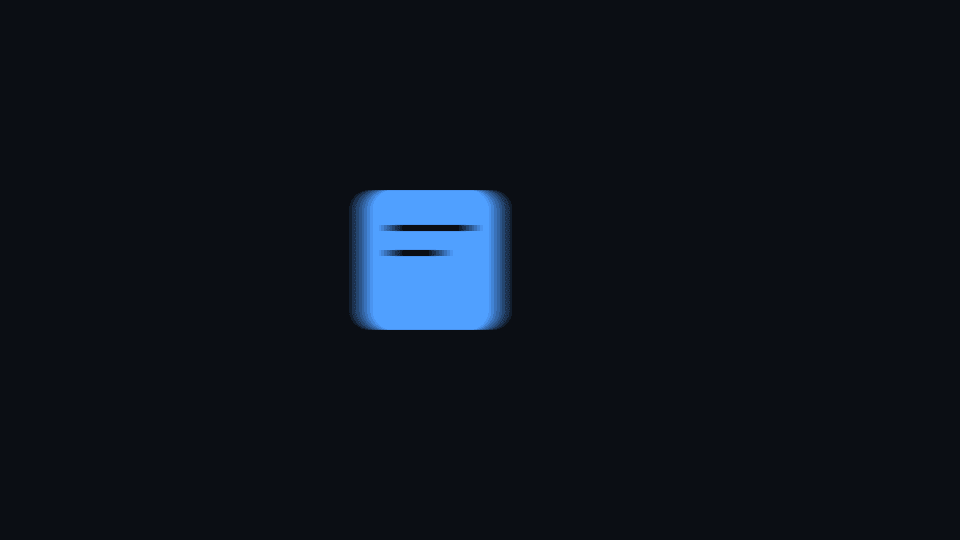
Wraps children in Remotion's CameraMotionBlur, but only for the frames of a window. Outside it the
children render directly, as if the wrapper were not there.
| Prop | Type | Default | Notes |
|---|---|---|---|
from | number | 0 | First frame of the window, local to the scene |
to | number | never | Last frame of the window, inclusive |
shutterAngle | number | 180 | Degrees, 0 to 360. Larger smears more |
samples | number | 8 | Sub-frame renders blended. More is smoother and slower |
Handheld and impact shake
Small deterministic camera motion, as pure functions and hooks. DirectedShot uses them for its
handheld and shake props; use them directly to move anything else.
handheldOffset(frame, amount, seed = 1): { x, y, rot }       // px and degrees; |x|, |y| <= amount
useHandheld(amount, { holds?, seed?, ramp? }): { x, y, rot }  // scaled to the composition height
impactShake(frame, impactFrames, { amplitude = 12, decay = 8 }): { x, y, rot }
useImpactShake(impactFrames, { amplitude?, decay? }): { x, y, rot }
Sway is two unrelated sines per axis, so the path does not repeat. holds is a list of
[from, to] frame windows where useHandheld is exactly zero (the camera is set down while a
cursor clicks or a block of text is read), easing in and out over ramp frames (default 6).
Shake is exactly zero before an impact frame, at full amplitude on it, and below 5% of it
after 3 * decay frames. All of it is a function of the frame, never Math.random().
Motion
E and SPRING
E.cinematic  // default move: slow out, soft landing
E.whip       // aggressive, for cuts and fast pans
E.drift      // gentle ambient motion inside a shot
E.snap       // snappy UI reaction, button press, blip reveal
E.sine       // symmetric ease in and out along a sine: calm, even, no hard push
E.expo       // symmetric ease in and out along an exponential: still at the ends, fast through the middle

SPRING.soft  SPRING.pop  SPRING.heavy
Linear easing fails QC. There is no linear preset on purpose.
tween, pop, jitter, staggerDelay
tween(frame, [fromFrame, toFrame], [fromValue, toValue], E.cinematic): number
pop(frame, fps, atFrame): number          // spring entrance scalar
jitter(seed, n): number                   // deterministic 0..1, same every render
staggerDelay(index, step = 3): number     // 3 frames at 30fps is 100ms
jitter is deterministic. Never use Math.random() in a scene: every frame renders
in a separate process and random values differ per frame, which shows up as flicker.
Text
TitleSlam
| Prop | Type | Default |
|---|---|---|
text | string | required |
at | number | required |
fontSize | number | 120 |
color | string | color.textPrimary |
glowColor | string | |
align | "center" | "left" | "center" |
sfx | boolean | false |
Per word entrance. Renders nothing before at. sfx adds a blip per word; it is off by
default because a blip every few frames sounds like a ticking clock under a title.
Caption
| Prop | Type | Default |
|---|---|---|
text | string | required |
at | number | required |
out | number | |
fontSize | number | 34 |
position | "bottom" | "top" | "left" | "right" | "auto" | "bottom" |
avoid | { x, y, width, height } |
Sits 84px from the chosen edge. Put it in overlay, not children. Vary position from scene to
scene; the same spot in every scene covers the same part of the product every time.
"auto"withavoid(the part of the frame that carries the product, in composition pixels) takes the edge with the most free room beside that rect, counting only edges where the card fits. Ties go bottom, top, right, left. With noavoidit stays at the bottom.- The reveal is always finished within 8 frames of
at, however many words there are: the per-word stagger shrinks as the caption grows (2 frames for short ones), so no frame a reviewer lands on shows a half-typed line. - The card is at most
min(1400, 0.9 * composition width)wide, so it fits a 1080 wide vertical frame."left"and"right"use a column ofmin(640, 0.34 * width). captionLayout(position, avoid, width, height, fontSize)returns{ side, maxWidth }, the rule above as a function.
Panels
BrowserFrame
| Prop | Type | Default |
|---|---|---|
url | string | required |
width | number | 1360 |
height | number | 850 |
dark | boolean | true |
children | ReactNode | required |
Chrome bar is 56px, so height must be the capture height plus 56 or the page is
letterboxed. scaffold_scene computes this from the real PNG for you.
Screenshots may only appear inside a BrowserFrame. Recordings and AI clips must
not: wrapping generated footage in browser chrome makes it look like a captured
page, which STYLE.md's provenance rule forbids.
CodePanel
| Prop | Type | Default |
|---|---|---|
title | string | required |
lines | CodeLine[] | required |
width | number | 860 |
height | number | 640 |
fontSize | number | 22 |
scroll | number | 0 |
highlight | number[] | [] |
type Token = { t: string; c?: "kw" | "str" | "fn" | "cm" | "num" | "plain" };
type CodeLine = Token[];
lines={[
  [{ t: "{", c: "plain" }],
  [{ t: '  "name"', c: "str" }, { t: ": ", c: "plain" }, { t: '"value"', c: "str" }],
]}
ChecklistPanel
| Prop | Type | Default |
|---|---|---|
title | string | "Community Standards" |
items | ChecklistItem[] | required |
width | number | 760 |
fontSize | number | 27 |
sfx | boolean | true |
type ChecklistItem = { label: string; flipAt?: number }; // omit flipAt to stay unchecked
flipAt is an absolute scene frame.
TerminalReplay
| Prop | Type | Default |
|---|---|---|
steps | TermStep[] | required |
title | string | "Project" |
width | number | 1280 |
fontSize | number | 26 |
cps | number | 16 |
sfx | boolean | true |
trailingPrompt | boolean | true |
type TermLine = { text: string; color?: string; glow?: boolean; bold?: boolean };
type TermStep =
  | { type: "cmd"; text: string }
  | { type: "out"; lines: TermLine[]; stagger?: number; preDelay?: number }
  | { type: "pause"; frames: number };
Terminals are always this component, never a screen recording of a terminal.
computeTerminalTimeline(steps, fps, cps) returns { items, totalFrames }, so camera
keyframes can land frame-exact on content events rather than being guessed.
CursorActor
| Prop | Type | Default |
|---|---|---|
path | CursorKeyframe[] | required |
clicks | number[] | [] |
scale | number | 1.6 |
sfx | boolean | true |
type CursorKeyframe = { frame: number; x: number; y: number };
Coordinates are stage space. Movement is eased automatically; never linear. Each segment bows
sideways by up to 6% of its length (the side alternates from one segment to the next) and swings
2.5% of its length past the target before settling, so the cursor moves like a hand. Progress
along the segment still follows E.cinematic, and on a keyframe's own frame the cursor is exactly
on the keyframe, so a click ring lands on its target. cursorPositionAt(path, frame) returns the
position CursorActor draws at a frame.
RepoCta
| Prop | Type | Default |
|---|---|---|
owner | string | required |
name | string | required |
description | string | required |
chips | string[] | required |
titleText | string | required |
durationInFrames | number | 270 |
A whole scene, not a panel. Do not wrap it in a CinematicScene; it brings its own.
No star action by default. Laid out from the composition size, so the card is centred in
1920x1080 and in a 1080x1920 reel.
Sound
Synthesized by scripts/gen-sfx.sh with ffmpeg, except typing-effect.mp3, a
copyright-free recording, so a rendered video carries no third-party audio rights.
Regenerate the synthesized files with bash scripts/gen-sfx.sh.
| Component | Props | Use |
|---|---|---|
TypingSfx | charFrames, volume? (1) | The typing recording, played across each typed run |
Click | at, volume? | Cursor click |
Whoosh | at, volume? | Camera move or cut |
Blip | at, volume? (0.3) | UI reveal |
SuccessChime | at, volume? (0.35) | Completion |
Bell | at, volume? (0.3) | Heavier completion |
MusicBed | durationInFrames, volume? (0.16) | Ambient bed, loops |
TerminalReplay emits its own typing sounds. Pass sfx={false} to silence it.
Narration is separate: generate_narration writes
public/audio/vo/<beatId>.mp3 and stitch_composition picks it up.
Music clock
The score's grid as scene-local frames, so a cut, a reveal or a glow can land on the music.
stitch_composition copies the bed's <stem>.cues.json next to the composition and mounts
MusicClockProvider with each beat's start frame; a scene just asks for its own beat.
const clock = useMusicClock("reveal");   // the beat id, exactly as in beats.json
const hit = clock.at(8);                  // first downbeat of bar 8, as a frame local to this scene
const glow = clock.beatPulse();           // 1 on each beat, decaying to 0 before the next
if (clock.onDownbeat()) { /* a bar starts on this frame */ }
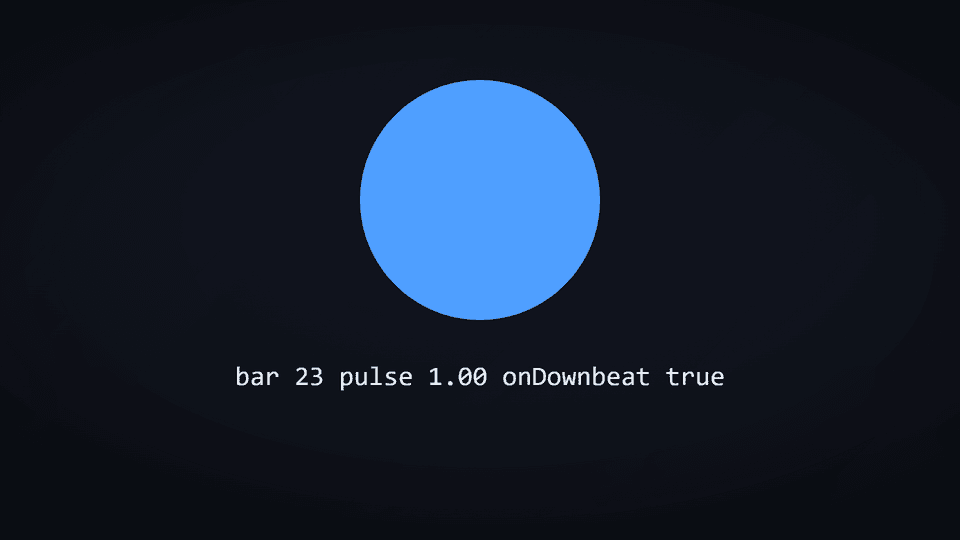
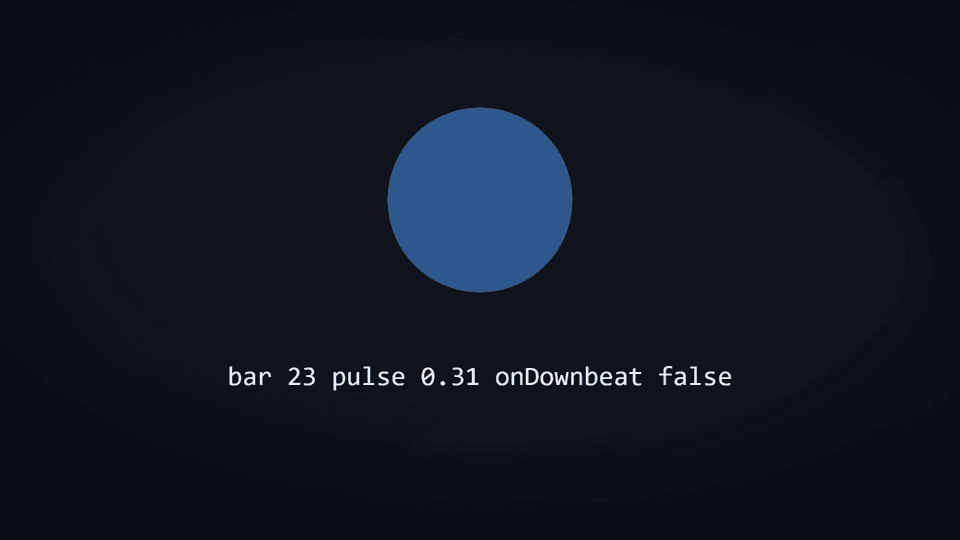
Bars count from 0 at the start of the track, in 4/4 (what compose_score writes), and the bed
is mounted at composition frame 0. useMusicClock(beatId) must be called inside that beat's
scene, because the pulse helpers read the scene's current frame.
| Member | Notes |
|---|---|
at(bar, beat?) | Scene-local frame of that bar and beat (beat may be fractional: at(8, 2.5)). Rounded to the nearest frame; negative when it is before the scene starts |
position(frame) | { bar, beat } a scene-local frame falls in |
impact(label) | Scene-local frame of the score's impact point with that label, or null |
sectionAt(frame) | The section label a frame falls in, or null without sections |
beatPulse({ decay?, strongOnly? }) | 1 on a beat, decaying to 0 over decay (0.6) of a beat; strongOnly pulses on downbeats only |
onBeat(), onDownbeat() | True on the frame a beat or a bar starts, using the same rounding as at |
available, bpm, framesPerBeat, framesPerBar | available is false when the bed has no cues file; the clock then runs a 120 bpm grid so a scene still renders |
createMusicClock({ cues, fps, sceneStartFrame, frame }) is the pure core, for tests.
plan_beats with snapToBars plans beat boundaries onto the same downbeats.
Narration words
When each word of a beat's narration is said, for a scene that points at the word being spoken.
generate_narration (edge-tts engine) writes public/audio/vo/<beatId>.words.json, stitch_composition
copies it next to the composition and mounts it with NarrationWordsProvider. See NARRATION.md.
useNarrationWords(beatId)
Call it inside the scene of beat beatId.
| Member | Type | Notes |
|---|---|---|
available | boolean | False when the beat has no timings (another engine, or none generated) |
words | { word, startMs, endMs }[] | In the clip as written |
wordAt(frame?) | { index, word, speaking } | null | The word being said at a scene-local frame (default: the current one), or in a pause the last one said (speaking: false). null before the first word |
frameOfWord(index) | number | null | The scene-local frame word index starts on, rounded to the nearest frame |
createNarrationWords(words, fps, frame?) is the same thing without Remotion, for tests.
Look pass
FilmGrain, Vignette, ColorGrade, LookPass. CinematicScene applies these, so
reach for them only when compositing outside a scene.
Tokens
color.bg0 color.bg1 color.panel color.panelBorder
color.textPrimary color.textSecondary
color.accent color.accentAlt color.success color.warn color.danger
color.lightBg color.lightCard color.lightShadow

font.ui    // "Inter"
font.mono  // "JetBrains Mono"

radius.window  // 12
radius.card    // 10
radius.pill    // 999

glow(color, strength = 1)       // returns { textShadow }
panelShadow(dark = true)        // returns a box-shadow string
Use tokens rather than literal hex, so a per-video theme can override them.
Design system
defineDesignSystem(overrides?)
Builds one video's DesignSystem: palette, type scale, layout grid, a signature
motif, a motion personality, a transition vocabulary and a texture pass. Call it
once in that video's own src/videos/<name>/design.ts:
export const design = defineDesignSystem({
  motif: "pixel-grid",
  motion: { cameraEnergy: "energetic" },
});
Anything omitted falls back to the current brand tokens (color/font, already
brand-applied if extract_brand ran) and STYLE.md's own defaults. The result is a
plain object, frozen at the point design.ts is imported, not a live binding: a
later applyBrand call never reaches into an already-built DesignSystem.
| Field | Type | Notes |
|---|---|---|
color, font | tokens | Seeded from the current brand tokens |
typeScale | { display, headline, body, mono: [min, max] } | px |
grid | { marginX, marginTop, marginBottom } | px. Default 150 / 130 / 110 at 1920x1080; scaled to stage when one is passed (84 / 231 / 196 at 1080x1920). An explicit grid wins |
stage (input only) | { width, height } | The frame the video renders at, default 1920x1080. Pass { width: 1080, height: 1920 } in a native vertical project. Not stored on the result |
motif | "pixel-grid" | "rounded-soft" | "geometric" | "editorial" | "void-spark" | Default "rounded-soft". "void-spark" is Supernova mode's |
motion | { easing, staggerMs, cameraEnergy, cutRhythmSeconds } | easing names an E.* preset by string, not a function reference, so the system stays JSON-serializable |
transitions | string[] | Preference order, default ["cut", "whip", "fade", "push", "wipe", "light-leak"] |
texture | { grainOpacity, vignetteStrength } | STYLE.md's default ranges |
contrastRatio(hexA, hexB)
WCAG relative-luminance contrast ratio, 1 (no contrast) to 21 (black on white). Reach for it directly when a bespoke scene picks a text colour against a background the design system doesn't already pair.
Several primitives below take an optional design?: DesignSystem prop: pass
that video's own design export and they read palette, motif and motion from
it instead of the package's global tokens.
Kinetic text
Words
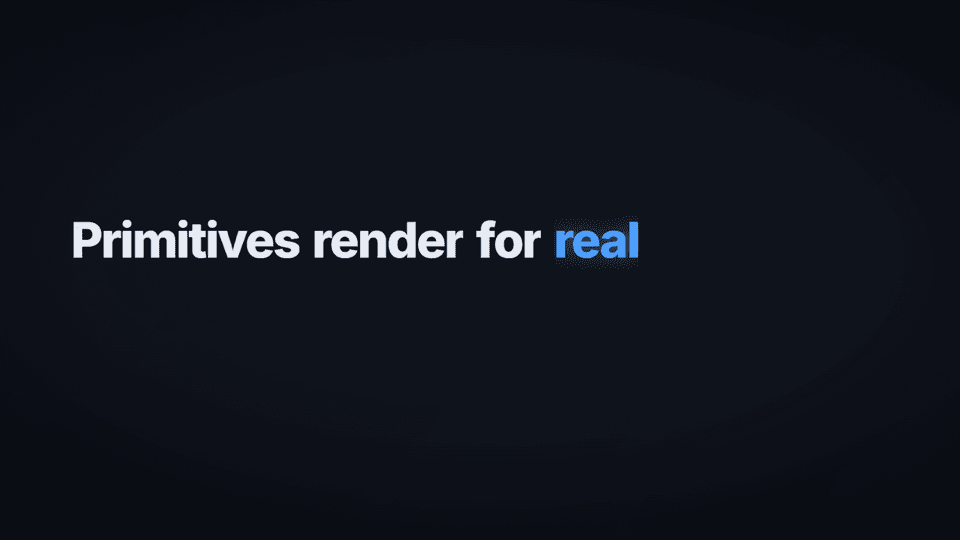
Per-word masked reveal. Never a plain opacity fade (STYLE.md): each word clips
in from below on its own stagger, and clips back out the same way if out is
set.
| Prop | Type | Default | Notes |
|---|---|---|---|
text | string | required | Split on spaces, one reveal per word |
at | number | required | Frame the first word starts |
out | number | Frame the exit starts. Omit to leave the line on screen | |
size | number | 72 | |
weight | number | 800 | |
color | string | color.textPrimary | |
accent | Record<number, string> | {} | Word index to accent colour, for one word landing harder than the rest |
stagger | number | Frames between word starts. Explicit value always wins | |
design | DesignSystem | Without stagger, reads design.motion.staggerMs at the composition's fps; with neither, falls back to 3 frames | |
align | "left" | "center" | "right" | "left" | |
font, tracking, lineHeight, maxWidth, glow, italic, style |
useTyped(text, at, cps?)
Typewriter hook. Returns { visible, done, charFrames, end }: the visible slice
of text at the current frame, plus the per-character reveal frames, so a
caller can drive TypingSfx off the exact same numbers the visible text uses.
cps defaults to 22 characters per second.
Caret
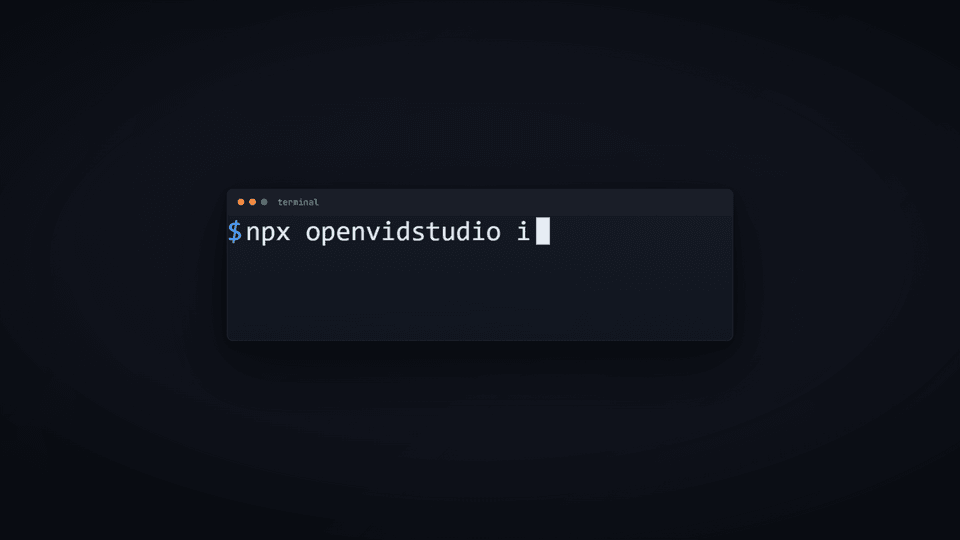
| Prop | Type | Default |
|---|---|---|
h | number | 40 |
color | string | color.textPrimary |
blink | boolean | true |
Blinking text caret, sized to a line height. Pair with useTyped for a typed line.
Pixel-grid family
DotText
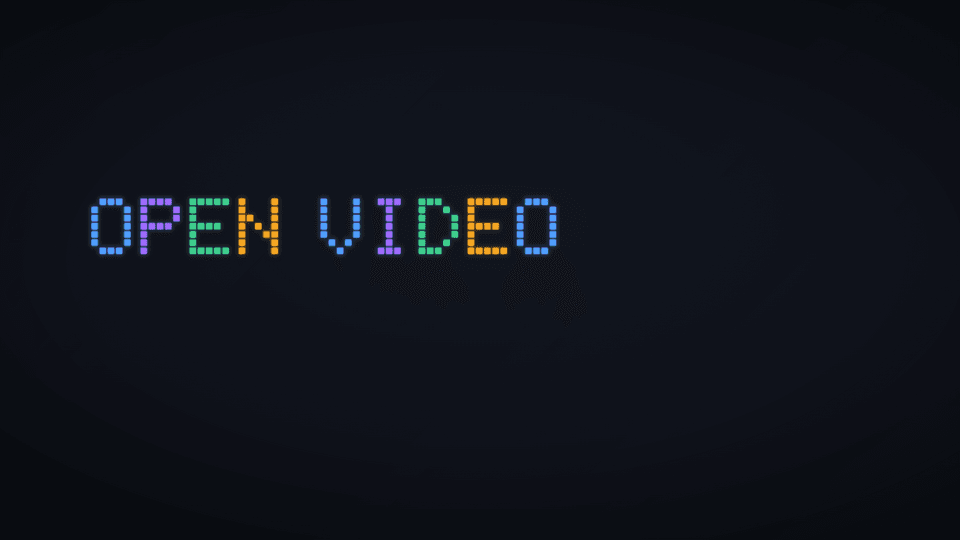
5x7 dot-matrix text, built pixel by pixel rather than drawn with a font file.
| Prop | Type | Default | Notes |
|---|---|---|---|
text | string | required | Uppercased; unsupported characters render as a blank cell |
at | number | required | |
px | number | 14 | px per cell |
colors | string[] | "cycle" | "cycle" | "cycle" uses the token/design accent, accentAlt, success, warn four |
solid | string | Overrides colors with one flat colour for every pixel | |
build | "scatter" | "wipe" | "none" | "wipe" | |
out | number | Frame the exit starts | |
glow | number | 0.6 | |
seed | number | 3 |
PixelLogo

Assembles a pixel-grid logo from its own rect shapes, each flying in from a ring
around the mark (build="scatter") or rendered flat (build="none"). The ring's
centre and spread come from the shapes' own bounding box, so this works for any
pixel-grid logo.
| Prop | Type | Default | Notes |
|---|---|---|---|
shapes | PixelShape[] | required | { x, y, width, height, color }, the same shape extract_brand already produces for an SVG rect |
at | number | required | |
scale | number | 1 | Output px per source (viewBox) unit |
build | "scatter" | "none" | "scatter" | |
glow | number | 0.9 | |
out | number | Frame the exit starts | |
seed | number | 5 | |
style | CSSProperties |
PixelWipe
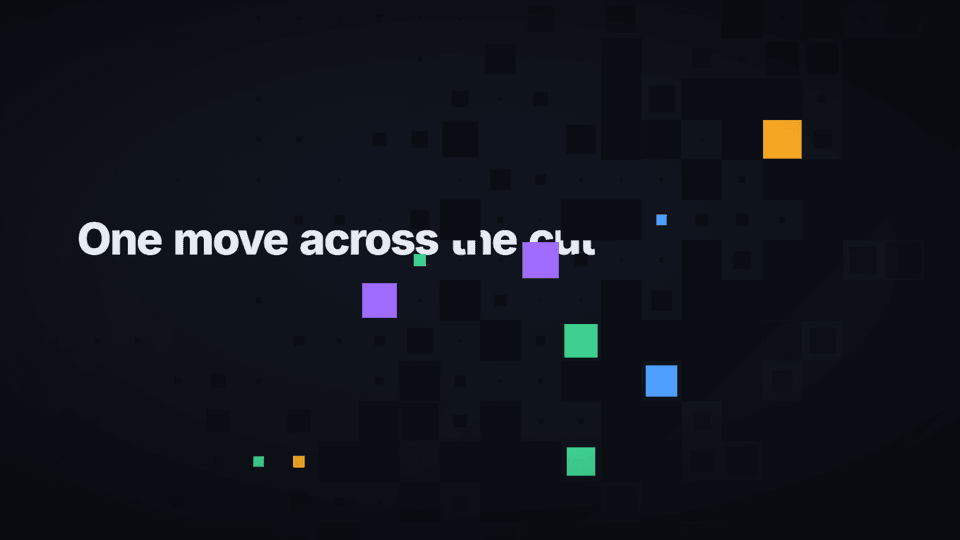
Transition pair, pixel-grid's natural home but usable standalone. Call both
ends of a cut with the same cell/seed so the out and the following in read
as one continuous move across the cut.
| Prop | Type | Default | Notes |
|---|---|---|---|
mode | "in" | "out" | required | "in": starts fully covered, clears. "out": finishes covered at the scene's last frame |
at | number | Defaults to frame 0 (in) or durationInFrames - dur - 1 (out) | |
dur | number | 12 | |
cell | number | 60 | |
seed | number | 1 | |
bg, tint | Default to design's colours if design is passed, else the package tokens | ||
design | DesignSystem | Optional; only informs the default tint and background |
Backgrounds and transitions
| Component | Props | Notes |
|---|---|---|
Atmosphere | intensity? (1), colors?, seed? (2) | Soft drifting radial colour fields behind everything, one blob per colour |
DotGrid | gap? (36), color? (#ffffff), opacity? (0.05), w?, h? (composition size) | Faint texture pass behind a constructed (non-capture) panel. Covers the whole frame by default, 1080x1920 included |
Flash | at, color? (#ffffff), strength? (0.55), dur? (10) | Brief exposure flash on a hard hit |
Black | from, to? | Holds solid black. Omit to to hold forever |
Letterbox | amount? (1) | Bars for a cinematic moment. amount scales the bar height, 1 = 64/1080 of the frame height (64px at 1080, about 114px at 1920 tall) |
TransitionOverlay | type ("fade", "whip", "push", "wipe", "light-leak"), length? | A transition drawn over a hard cut, in the colour tokens. Mount it in a Sequence that starts length / 2 frames before the cut (layout="none"): it peaks on the cut frame and is clear on its first and last frames. length is its total frames and defaults to the Sequence's. stitch_composition does this for every beat whose transition is not "cut", so a scene rarely mounts one by hand |
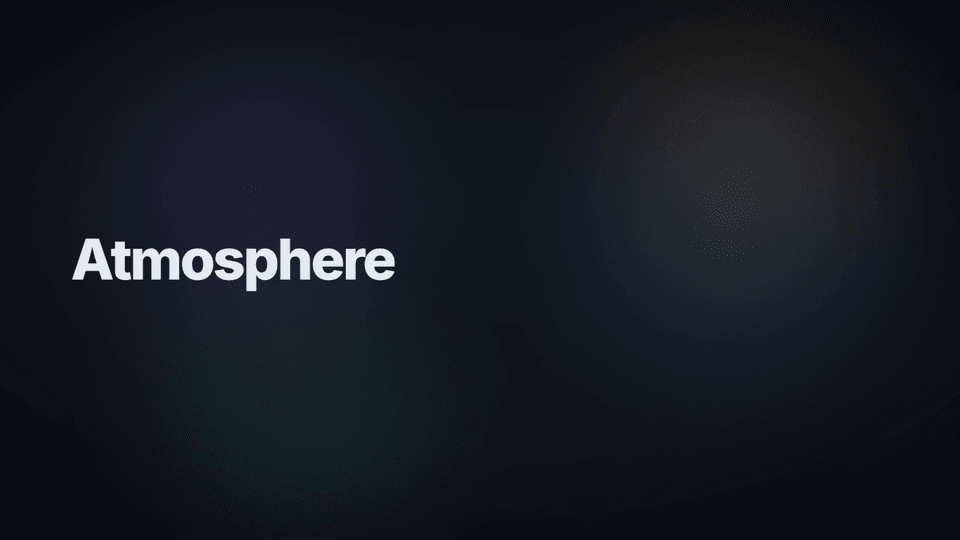 Atmosphere | 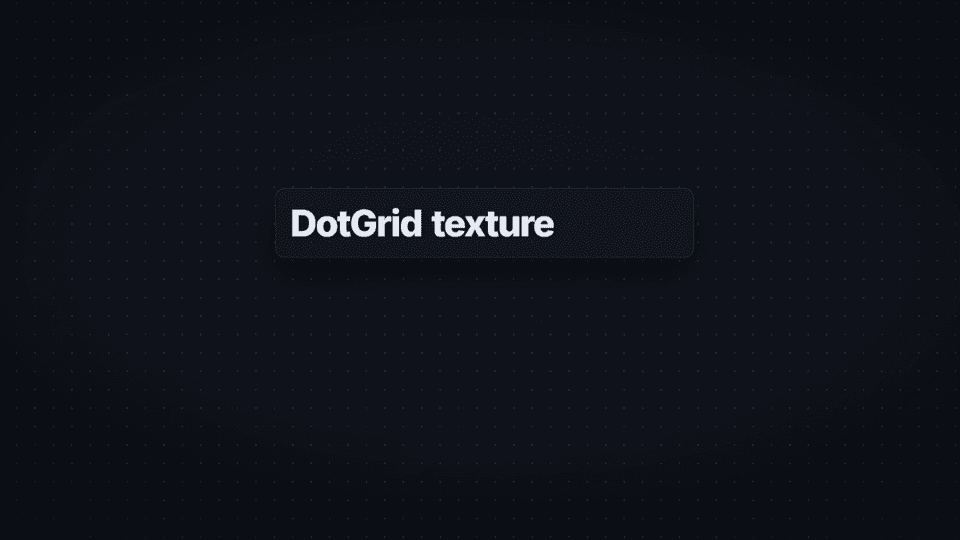 DotGrid |
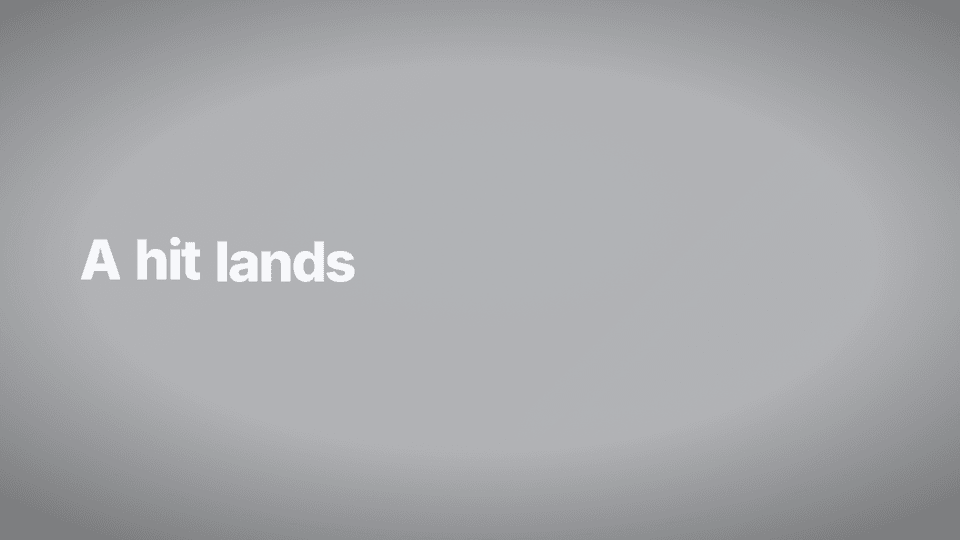 Flash |  Letterbox |
 Black |
TransitionOverlay, one still per type, a few frames into the cut (a blue "before" scene turning into a dark "after" one;
the light leak is at its peak on the cut itself):
 fade |  whip |  push |
 wipe |  light-leak |
UI chrome
Window
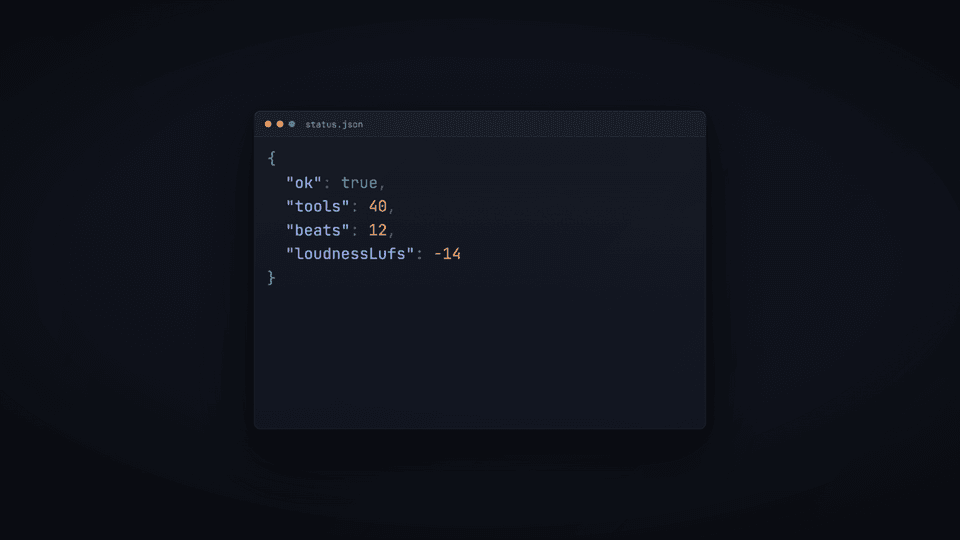
| Prop | Type | Default | Notes |
|---|---|---|---|
title | string | Omit for no title bar | |
width | number | required | |
height | number | ||
light | boolean | Light chrome instead of the dark default, matches BrowserFrame's light mode | |
glow | string | Hex colour for an outer glow, when this window is the shot's focal point | |
titleRight | ReactNode | ||
children | ReactNode | required |
JsonView
Syntax-coloured JSON of a real object, revealed line by line. An actually-rendered
view, not a screenshot of a JSON blob (the same ground-truth bias as TerminalReplay
being DOM text instead of a recorded terminal).
| Prop | Type | Default | Notes |
|---|---|---|---|
value | unknown | required | JSON.stringify(value, null, 2), line by line |
at | number | 0 | |
perLine | number | 1.2 | Frames between each line's reveal |
fontSize | number | 20 | |
highlight | (line, i) => string | undefined | Returns a hex accent to highlight a line with | |
maxLines | number | 400 | |
scroll | number | 0 |
Check, Cross
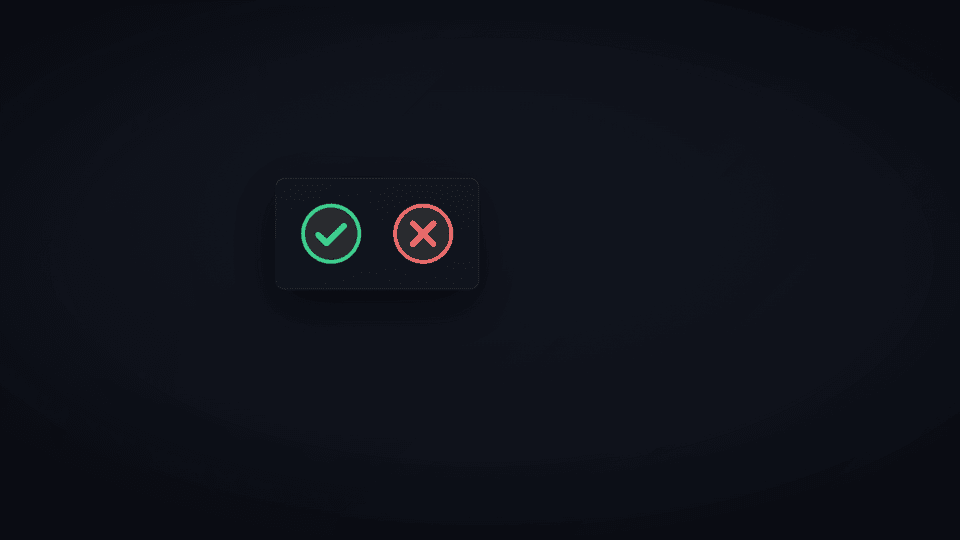
| Prop | Type | Default |
|---|---|---|
size | number | required |
color | string | color.success (Check) / color.danger (Cross) |
at | number | 0, Check only (draws its tick stroke in) |
ToolChip
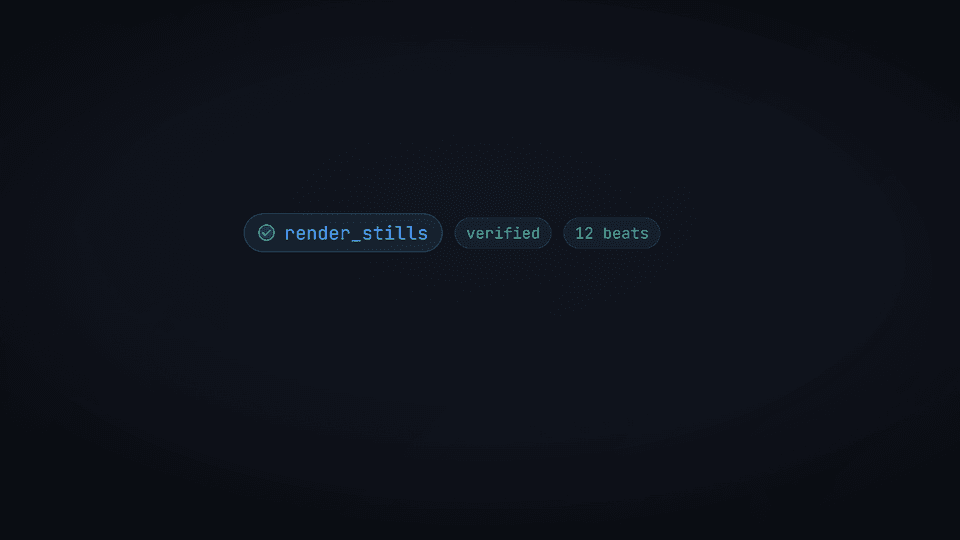
| Prop | Type | Default | Notes |
|---|---|---|---|
name | string | required | |
at | number | required | |
doneAt | number | Swaps the spinner for a Check once passed | |
color | string | color.accent | |
size | number | 20 |
"▸ tool_name" chip: spinner while running, a check once done.
Pill
| Prop | Type | Default |
|---|---|---|
children | ReactNode | required |
color | string | color.textSecondary |
size | number | 18 |
style | CSSProperties |
Glass
| Prop | Type | Default |
|---|---|---|
children | ReactNode | required |
style | CSSProperties | |
pad | number | 28 |
Frosted glass panel: backdrop-filter: blur, for a floating card over motion.
ChapterHud
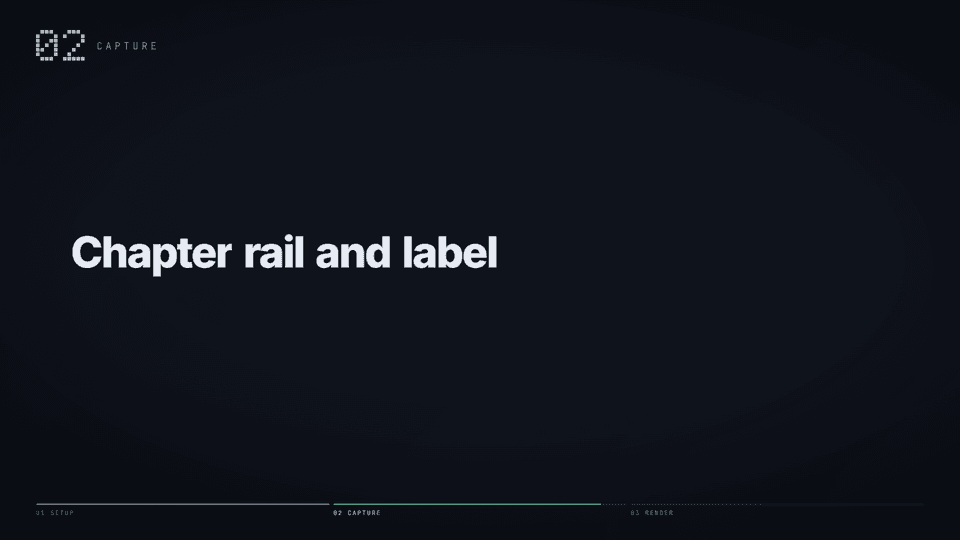
Screen space, meant for a scene's overlay (like Caption), not camera-transformed.
A dot-matrix chapter number and label top-left, a progress rail bottom.
| Prop | Type | Default | Notes |
|---|---|---|---|
chapters | Chapter[] | required | { label: string } |
activeIndex | number | required | |
firstFrame | boolean | true | True during this chapter's own opening stretch (plays the label-in and rail fill-in); false just holds the rail filled |
at | number | 4 | |
fillDurationInFrames | number | 90 | Pass the chapter's own duration so the fill lands exactly as it ends |
design | DesignSystem | Reads grid.marginBottom and palette from it when passed | |
accentColor | string | Overrides design's or the token success colour |
A scene, end to end
import React from "react";
import { CinematicScene, Layer, TerminalReplay, Caption, color, E } from "@openvidstudio/core";

export const Install: React.FC = () => (
  <CinematicScene
    camera={[
      { frame: 0, x: 960, y: 540, scale: 1.05, rotZ: -0.4 },
      { frame: 300, x: 960, y: 548, scale: 1.15, rotZ: 0.35, easing: E.drift },
    ]}
    overlay={<Caption text="one command" at={40} out={240} />}
  >
    <Layer depth={0}>
      <div style={{ position: "absolute", inset: 0, display: "flex",
                    alignItems: "center", justifyContent: "center" }}>
        <TerminalReplay
          width={1400}
          steps={[
            { type: "cmd", text: "node packages/mcp-server/dist/stdio.js" },
            { type: "out", lines: [{ text: "connected over stdio", color: color.success, glow: true }] },
          ]}
        />
      </div>
    </Layer>
  </CinematicScene>
);
Two keyframes so it moves, content centred inside the safe area, caption in the overlay, tokens instead of hex.
Catalog primitives
Small components that are not in @openvidstudio/core but are in the motion primitives catalog:
catalog_motion_primitives finds one and add_motion_primitive copies its source into the video's
primitives/ folder, where it is yours to edit. Each imports only react, remotion and core.
CollageBroll
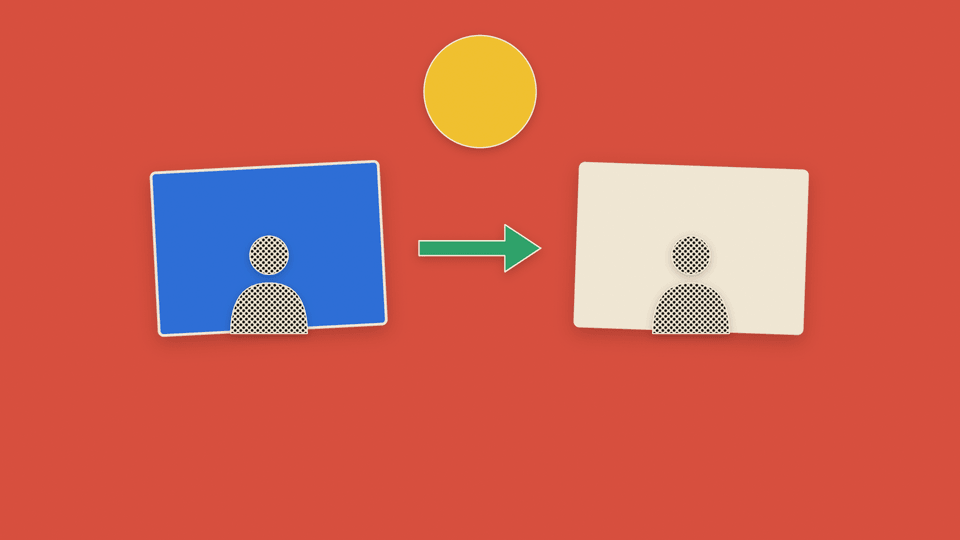
A halftone paper-collage b-roll beat for an abstract idea between screen captures, made in code: free, and
nothing in it is invented footage. A flat colour field, black and white halftone cut-outs, a few cardstock accents,
thin cream keylines, soft low-opacity shadows and fine paper grain. Pieces assemble structure first (structure,
then people or key cards, then connectors, then the result): each enters from empty space on a spring, in a set
order, with no fade and no zoom. It is inspired by the look of the MIT-licensed gbro-collage-broll skill, which
generates it with a paid model API; this is written from scratch and calls no model.
| Prop | Type | Default | Notes |
|---|---|---|---|
pieces | CollagePiece[] | required | See below |
background | string | #D9503F | The flat colour field |
order | ("structure" | "people" | "connector" | "result")[] | that order | The order the roles arrive in; within a role, as listed |
at | number | 0 | Composition frame the first piece starts to move. Before it the frame is the empty field |
stagger | number | 10 | Frames between one piece starting and the next |
A piece is { src | shape, x, y, width, aspect?, rotation?, tone?, role? }: x, y and width are fractions of the
frame (so it follows the frame size); src is an image (staticFile(...)) cut out in halftone; shape is
"card", "circle", "person" or "arrow"; tone is "halftone" (default), "red", "blue", "yellow",
"green" or "cream"; role says when it arrives (default "structure").
Supernova: @openvidstudio/stem
The primitives for STEM lesson videos (production mode "supernova", 1080x1920). A project made
with init_project mode: "supernova" can import them; a standard project cannot. Everything here is
a pure function of the frame, takes its sizes from useVideoConfig() and uses no random numbers.
Stills are 540x960, rendered for real by scripts/build-api-gallery.mjs.
import { Spark, Nova, supernovaDesignSystem } from "@openvidstudio/stem";
supernovaDesignSystem(subject)
The Void + Spark design system for one subject ("math" | "physics" | "cs" | "chemistry" | "biology"):
a flat dark Void (#07060B, panels #0E0C16, hairline at 5% white), warm white text (#F3EFE6, never
pure white, dim #8C8799), one accent per subject (math #5CC8FF, physics #FFB347 with ember
#FF7A3D, cs #B58CFF, chemistry #FF4D5E, biology #7CFFB2), the "void-spark" motif, and a layout
grid that keeps key content clear of the Reels interface (108 / 270 / 420). design.display is the
display face, Space Grotesk; the body face is Inter. Both load from local files.
Spark
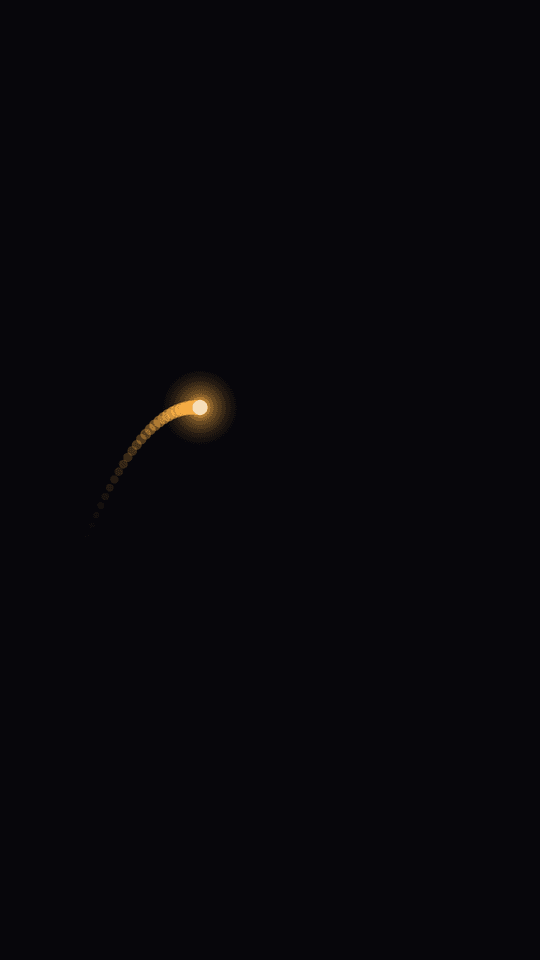
A luminous point: a bright core, a soft bloom and a fading trail. The pen, the pointer and the particle of a lesson, with one on screen at a time.
| Prop | Type | Default | Notes |
|---|---|---|---|
path | Path | Keyframe[] | required | (t) => ({ x, y }) with t in frames since at, or keyframes { frame, x, y, easing? } (held at the ends, eased between) |
at | number | 0 | Composition frame it appears. Nothing is drawn before it |
trail | number | 18 | Frames of tail. Brighter near the head |
color | string | the subject's accent | |
subject | Subject | "math" | Picks the default colour |
size | number | 1.4% of the shorter side | Radius of the core, px |
Behaviours are helpers that return a Path, so they compose: trace(curve | points, { duration }),
carry(fn, from, to, { duration, map? }) (the Spark rides y = fn(x); map is a graph-to-screen
mapping), orbit(target, radius, { period }), split(parent, n, { at, spread }) (n paths),
fall(g, { x, y, vx, vy }, { floorY? }) and walk(points, { hop, hold }).
Nova
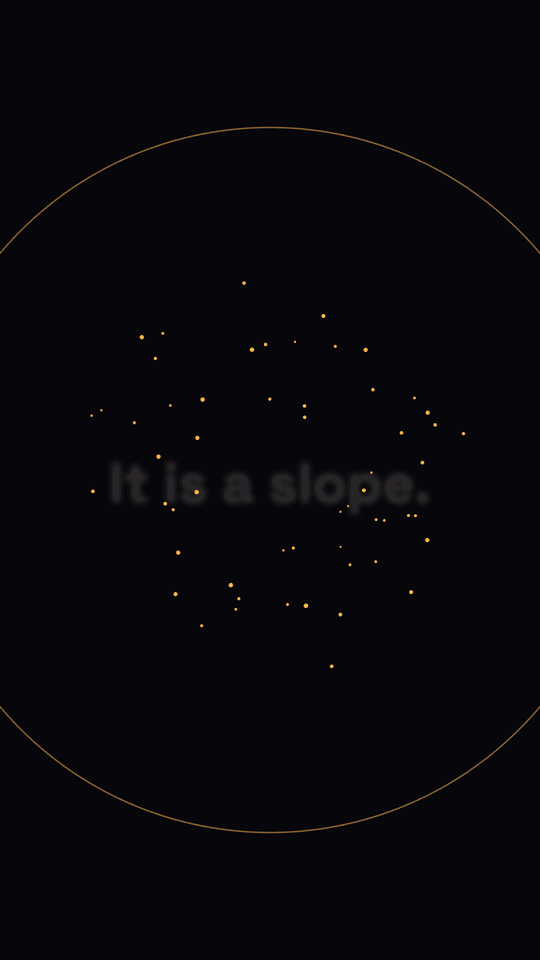
The payoff, once per video, on the aha sentence. Nothing before at; then a three-frame flash, a thin
shockwave ring that decelerates and fades, and the children condense from particles. Leave a beat of
silence in the narration before it.
| Prop | Type | Default | Notes |
|---|---|---|---|
at | number | Composition frame of the flash. Or: | |
beatId, impact | string | Take the frame from useMusicClock(beatId).impact(impact), the score's named impact | |
origin | { x, y } | frame centre | |
color, subject | the subject's accent | ||
duration | number | 60 | Frames from the flash until the content is fully formed |
children | node | The payoff. Fully formed by at + duration |
Equation
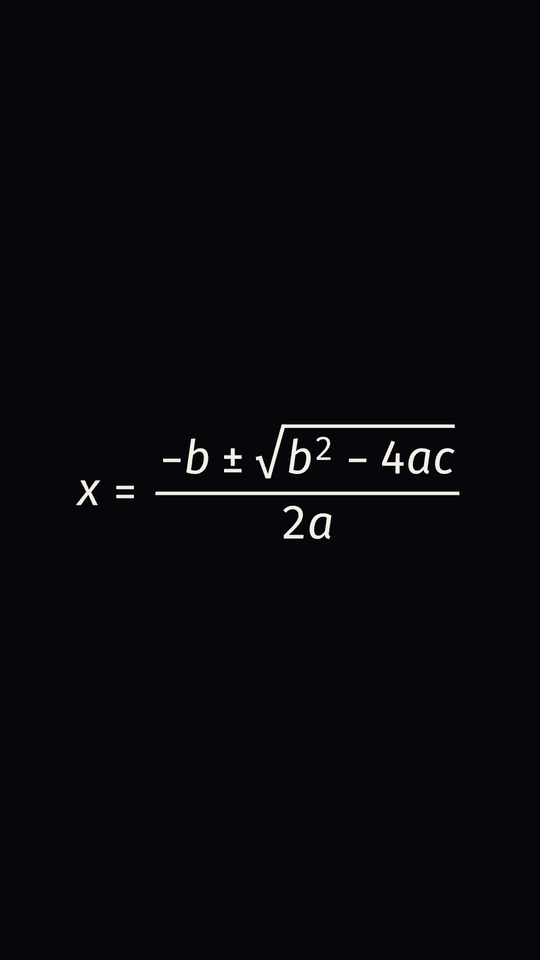
An equation typeset in sans-serif maths and revealed term by term: each top-level term fades in and rises a little, one after the next, as a pure function of the frame (never a fade of the whole thing).
| Prop | Type | Default | Notes |
|---|---|---|---|
tex | string | required | The equation as TeX |
spoken | string | required | The equation as it is said, in plain words: "x squared plus one". Required by the types (and at runtime), and exposed on the element as data-spoken, so check_script can compare it with the narration of the beat |
at | number | 0 | Composition frame the first term appears |
stagger | number | 7 | Frames between one term and the next |
size | number | 8.5% of the shorter side | Font size in px |
color | string | the Void's warm white | |
center | { x, y } | frame centre |
Terms are the children of the equation's top-level row, so \frac{d}{dx}\left(x^{2}+1\right)=2x reveals as
the fraction, (, x², +, 1, ), =, 2, x. A fully revealed equation is pixel for pixel the same as
the unrevealed one. texToSvg(tex) gives the SVG markup directly.
Why MathJax 4 with the Fira font, not KaTeX. The visible goal is sans-serif maths, which is the biggest
break from the usual serif look. Measured on the same three equations at 1080 wide (MathJax and Fira first,
then KaTeX with \mathsf, the closest it gets):
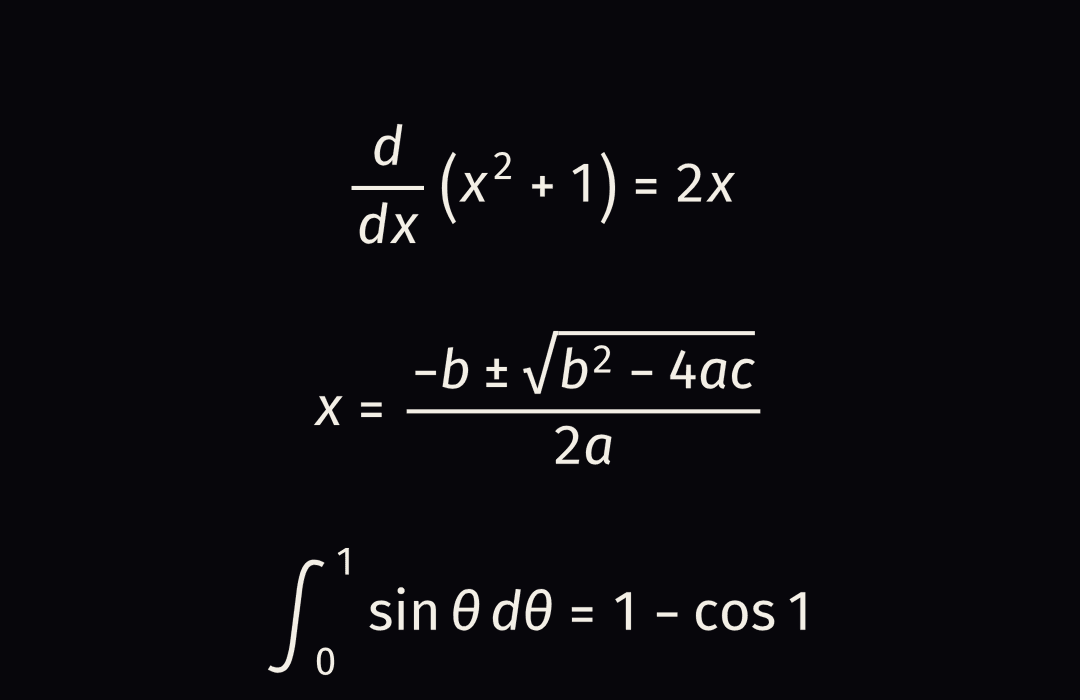
| MathJax 4 + Fira (SVG) | KaTeX 0.19 | |
|---|---|---|
| Look | Sans throughout: math italics, Greek, sin and cos in one family | Hybrid: \mathsf makes Latin letters upright sans, but sin, cos, theta and every operator stay serif, and variables lose their italics |
| Offline | Runs from the project's public/mathjax/ (copied by init_project), no font files, glyphs are vector paths | Needs its CSS and about six font files shipped and loaded |
| Size | about 1.3MB of scripts, plus 2.2MB of Fira glyph ranges loaded on demand | about 360KB |
| Time | 3 equations typeset in about 140ms after a one-off start-up of about 0.5s | 3 equations in 6ms |
| Determinism | Same TeX, same markup, so a frame is a pure function of the frame | Same |
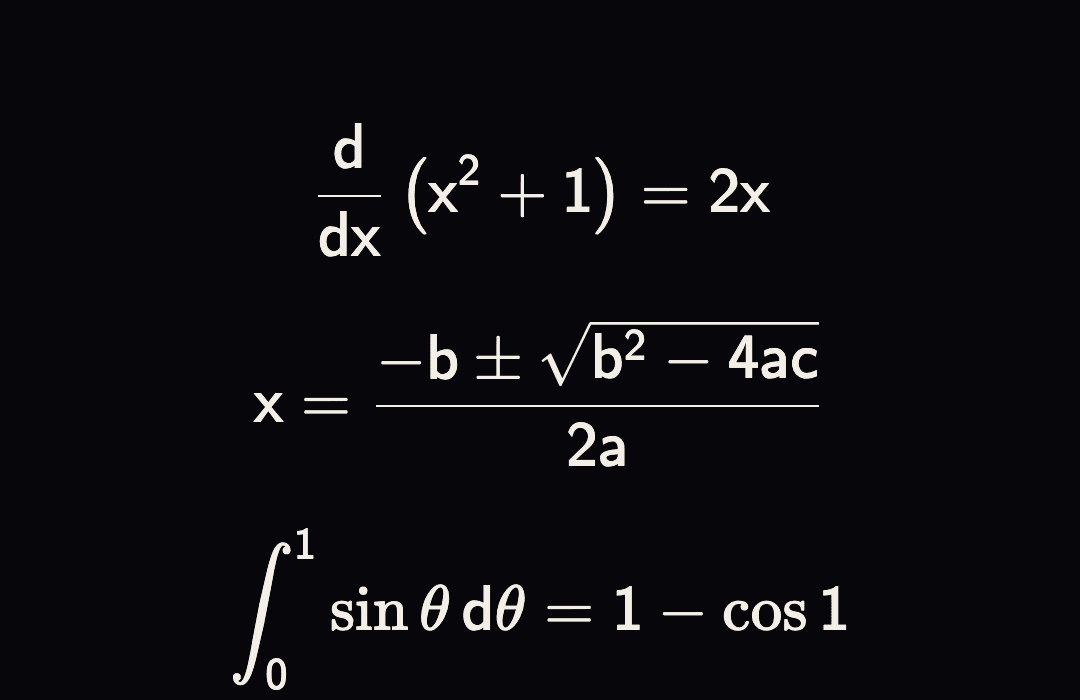
MathJax costs more to load and to typeset, once per document, and that is paid for a look that KaTeX cannot produce. Its speech and braille workers are switched off (they would fetch 800KB of rule files).
Axes, Plot, NumberLine
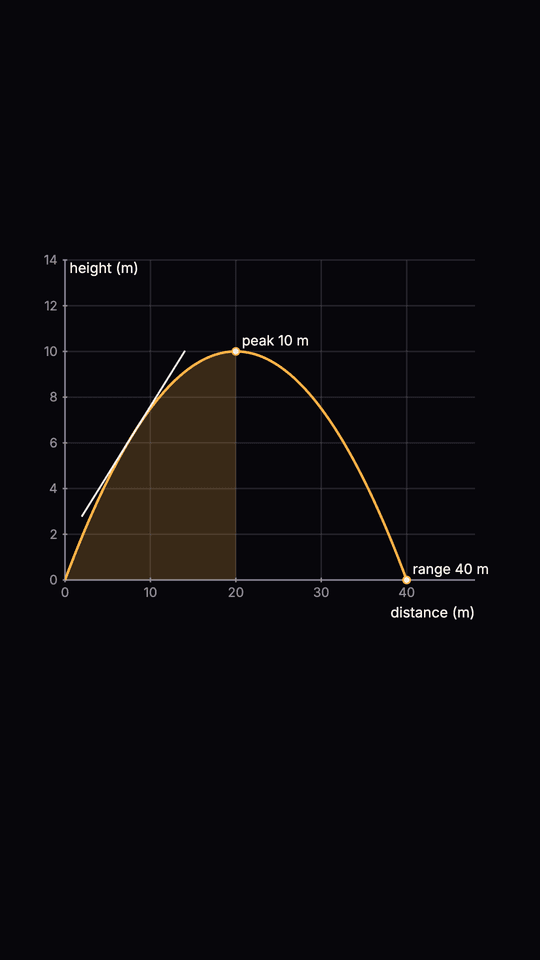
Axes draws labelled axes with ticks and owns the graph-to-screen mapping. Its children are placed in
graph coordinates: useAxes() returns { toScreen(x, y), toWorld(px, py), box, xRange, yRange, weight },
so a Plot, a label or a Spark's path (carry(fn, a, b, { duration, map: toScreen })) can use it.
Axes prop | Type | Default | Notes |
|---|---|---|---|
xRange, yRange | [min, max] | required | Graph units |
box | { x, y, width, height } | sized to the frame | The plot area, composition px |
xStep, yStep | number | a round step, about five ticks | |
xLabel, yLabel | string | ||
grid | boolean | true | Gridlines at the ticks in the dim token, fainter than the axes |
subject | Subject | "math" | Picks the accent children use |
Plot prop | Type | Default | Notes |
|---|---|---|---|
fn | (x) => number | required | A value that is not finite breaks the line |
domain | [a, b] | the axes' x range | |
samples | number | 240 | Across the domain |
progress | 0..1 | 1 | How much is drawn. Or at and duration for a draw-on that eases from 0 to 1 |
color | string | the accent | |
tangent | { at, span?, color? } | A tangent at x, once the curve has reached it. span is its half-length in x units | |
area | { from, to, color? } | Shades between the curve and the x axis, as far as the curve has been drawn | |
points | { x, label? }[] | Dots on the curve, appearing as it reaches them |
NumberLine takes range, step, points ({ value, label? }), intervals ({ from, to, openFrom?, openTo? }, open ends are hollow) and arrow ({ value, label? }), plus an optional box ({ x, y, width }). useNumberLine().toScreen(value) lets a Spark ride the line.
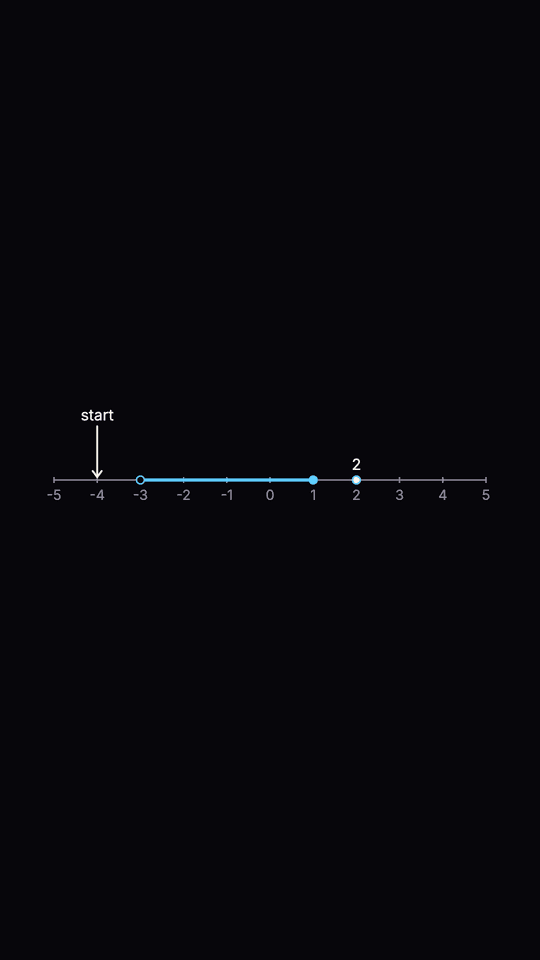
Strokes are never thinner than lineWeight(width, height), 3px at 1080 on the shorter side (the plot
line is about 1.7 times that). None of these glow: the Spark is the one element that does.
Derivation
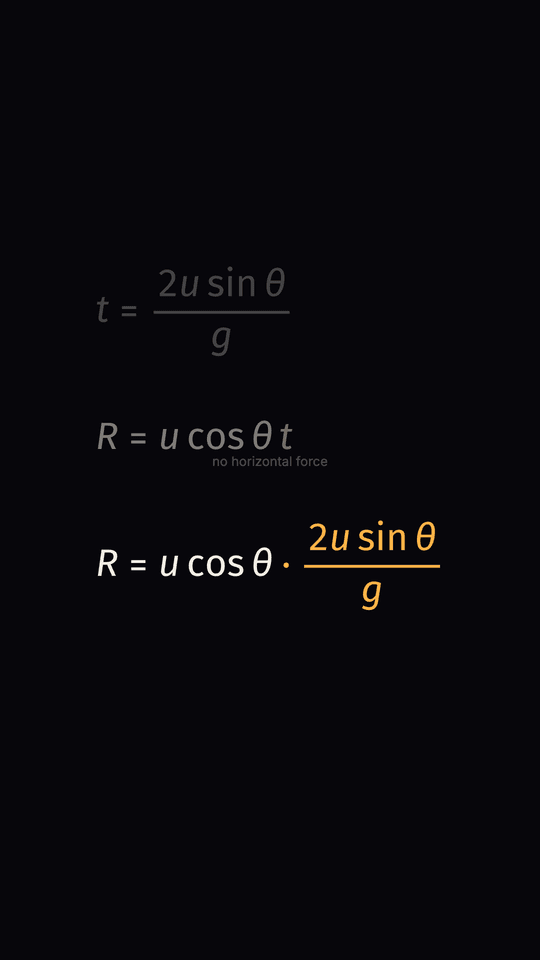
A formula built line by line, each line spoken: the derive beat of a lesson. The newest line sits at the bottom;
the one before it moves up and dims, up to a stack of three, so the viewer reads the algebra top to bottom. The
lines share a left edge and sit on a baseline, as algebra on paper does, so between two lines the terms they
share (matched by their TeX, top level terms) stay exactly where they are, and slide only if the terms before them
changed width. Terms that are new fade in and rise in the accent and settle to white; terms that are gone fade out where
they were. Term level, not per glyph. The range of a projectile, R = u^2 sin(2 theta) / g, in seven steps, is the sample scene.
| Prop | Type | Default | Notes |
|---|---|---|---|
steps | { tex, spoken, because? }[] | required | tex is the line. spoken is required, exactly as on Equation: it must appear in the beat's narration, in the order the steps are given, and check_script fails a step that does not. because is a short reason in plain words ("no horizontal force") shown under the step |
beatId | string | Reveal each step at the word its spoken starts at, found in useNarrationWords(beatId) after the previous step's words | |
at | number[] | Explicit frames, one per step, which win over the narration | |
from, stagger | number | 0, 60 | When there is neither narration nor at: the first step's frame and the gap between steps |
size | number | 7% of the shorter side, smaller if the widest line would not fit | Font size in px |
color, subject | the Void's warm white, "math" | subject picks the colour new terms arrive in | |
center | { x, y } | the horizontal centre, 60% down a tall frame | y is the baseline of the current line, x the middle of the block |
The stack is three lines: opacity 1, about a half, about a quarter; a fourth line is gone. revealFrames,
matchTerms and slotOpacity are the pure functions behind it.
LessonCaptions
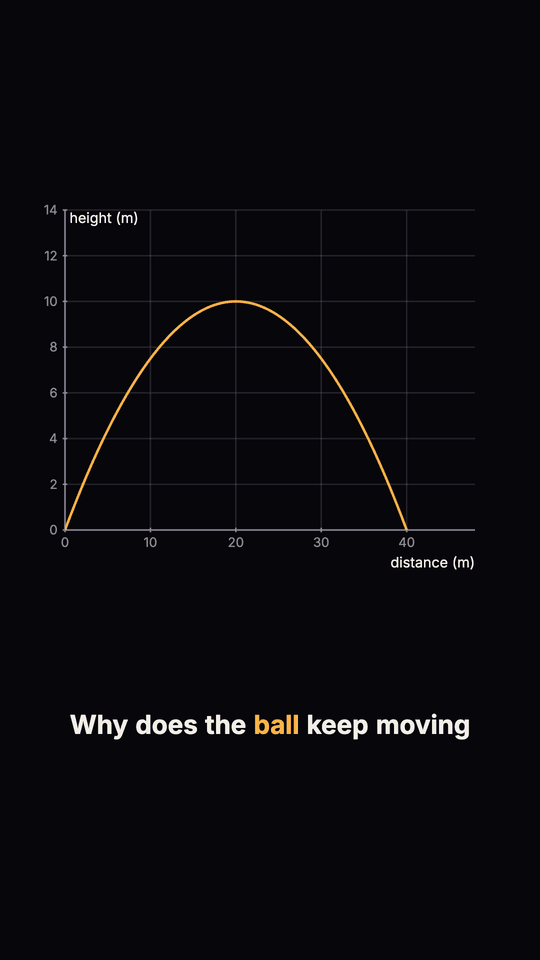
Burned-in captions timed to the narration, in one line: <LessonCaptions beatId="hook" text={vo} />. The word
timings (<beat>.words.json) carry bare words with no punctuation, so chunking on them runs one sentence into
the next. The text comes from the beat's vo: split on spaces, and when that gives as many words as the timings it is
shown with its punctuation, otherwise the timings' bare words are. A caption breaks at a sentence end, at a comma
after at least three words, and at maxWords; a one word sentence is a caption on its own. The word being said is
picked out in the subject's accent. A pure function of the frame.
| Prop | Type | Default | Notes |
|---|---|---|---|
beatId | string | required | Read with useNarrationWords(beatId) |
text | string | required | The beat's vo |
position | "bottom" | "top" | "bottom" | Above the bottom 22% or below the top 14% of a tall frame (8% either way on a wide one) |
maxWords | number | 6 | Most words in one caption |
left, width | number | 10% of the width, the rest | The block's box |
subject, fontSize | "math", 4.8% of the shorter side |
With no timings at all (an engine that gives none) the words are spread evenly over the scene, and the block says so in
data-ovs-captions-timing="estimated". The block is tagged data-ovs-captions, which validate_scenes ignores when it
looks for the first drawn element and for a static stretch. captionChunks(words, maxWords) and captionInsets(width, height)
are the pure functions.
FreeBody
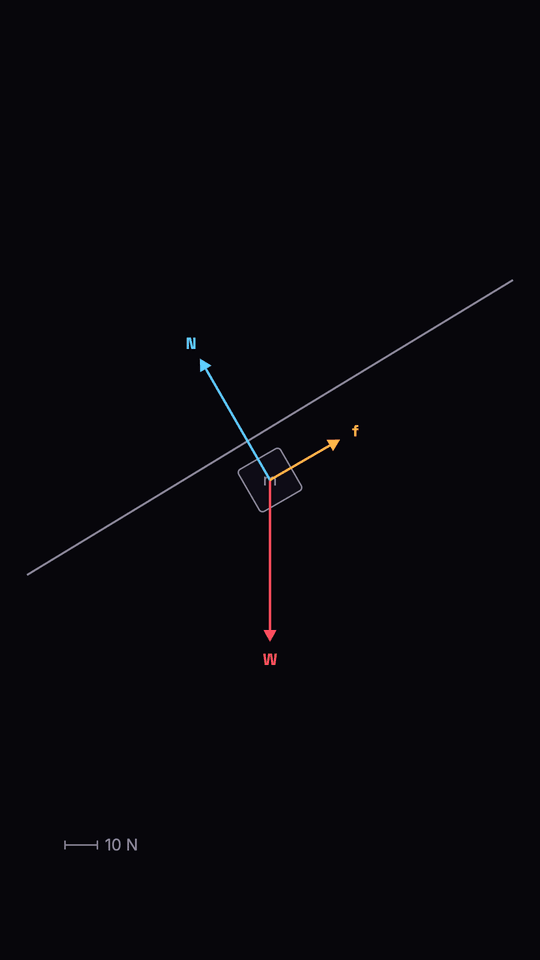
An object with labelled force arrows, for a physics lesson. The picture is honest: every arrow is exactly
magnitude * scale px from tail to tip and a scale bar says how much that is, so two forces compared by
eye are compared correctly. Arrows arrive one at a time. A block on a slope at rest (three forces that sum
to zero) is the sample scene.
| Prop | Type | Default | Notes |
|---|---|---|---|
forces | { label, magnitude, angle, color? }[] | required | angle in degrees counter-clockwise from the right (0 right, 90 up, 270 down) |
scale | number | required | Pixels per unit of magnitude |
unit, scaleValue | string, number | "N", a round value near half the largest force | The scale bar's unit and the length it stands for |
scaleAt | { x, y } | lower left | Left end of the scale bar |
origin | { x, y } | frame centre | Where the object is; arrows start at its centre |
objectSize, objectRotation, objectLabel | 9% of the shorter side, 0, none | Rotation in degrees clockwise: -30 puts a block flat on a 30 degree slope that rises to the right | |
at, stagger, order | 0, 18, as given | When the first arrow starts, frames between arrows, and the order as indices into forces | |
net | boolean | false | Also draw the net force as a dashed arrow once the others are in. Left out when the net is zero |
ArrayViz
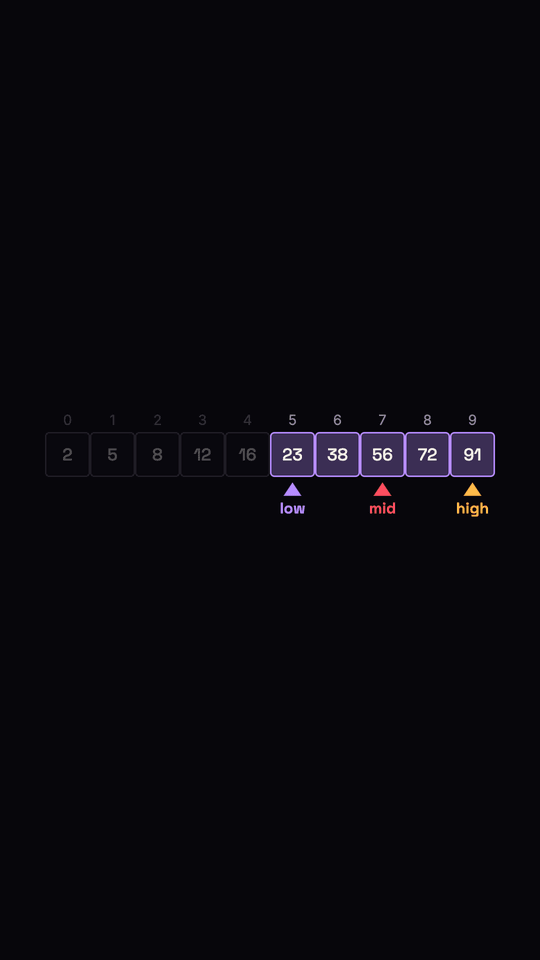
A row of cells holding values, with named pointers, a highlighted range and a dimmed one: enough to teach binary search and a sorting pass. Binary search over a sorted array is the sample scene.
| Prop | Type | Default | Notes |
|---|---|---|---|
values | (number | string)[] | required | One cell each, numbered above |
pointers | { name, index, color?, spark? }[] | index is a cell, or keyframes { frame, index } that move the pointer (eased, fractional between cells). With spark: true the pointer's tip is the Spark, so its move leaves a trail. At most one pointer may (one glowing element at a time) | |
highlights | { from, to, color? }[] | Cells to fill with the accent, inclusive: the range still in play | |
dimmed | { from, to }[] | Cells ruled out, inclusive | |
origin, cellSize | centred, fits 84% of the width | ||
subject | Subject | "cs" | Picks the accent |
useArrayViz() returns { cellSize, left, top, cellCenter(i) } so a Spark's path (walk) can be built from
the cells' own positions.
Wave
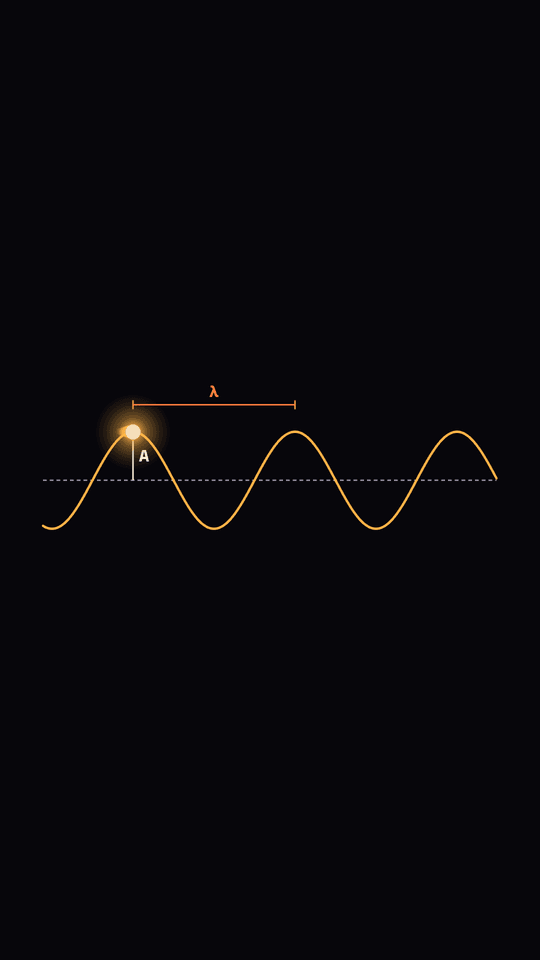
A travelling or standing sine wave with its wavelength, amplitude and phase drawn on it. Every number is exact: crests are exactly wavelength px apart, a crest is exactly amplitude px above the rest line, and a travelling crest moves exactly speed px per frame. The curve is a dense SVG path (24 or more samples per wavelength, with a sample on every crest and trough). In a standing wave the nodes (small rings on the rest line) never move and the antinodes swing up and down. spark="crest" rides the one Spark on a crest (an antinode, for a standing wave). A pure function of the frame; nothing is drawn before at.
The displacement is amplitude * cos(k (x - x0 - speed t) + phase) for a travelling wave and amplitude * cos(k (x - x0) + phase) * cos(2 pi t / period) for a standing one, with k = 2 pi / wavelength and x0 the left edge of the box. Find the elements in a test by data-ovs-wave (with data-ovs-crests, data-ovs-wavelength, data-ovs-amplitude), data-ovs-node, data-ovs-label (wavelength, amplitude, phase) and data-ovs-crest-spark.
| Prop | Type | Default | Notes |
|---|---|---|---|
mode | "travelling" | "standing" | "travelling" | |
wavelength | number (px) | a third of the box width | Crest to crest. |
amplitude | number (px) | 8% of the shorter side | Rest line to crest. |
speed | number (px per frame) | one wavelength per 60 frames | Travelling only. A crest moves exactly this far each frame. |
period | number (frames) | 90 | Standing only. |
phase | number (radians) | 0 | The displacement at the left edge at time zero is amplitude * cos(phase). |
at | number (frame) | 0 | The wave draws itself left to right over WAVE_REVEAL_FRAMES (24). |
box | { x, y, width, height } | middle of the frame, inside the Reels safe zone | The rest line runs through the middle of the box. |
labels | boolean or { wavelength?, amplitude?, phase? } | all on | Wavelength bracket (crest to crest), amplitude arrow (rest line to crest), phase marker. They fade in once the wave has drawn. |
wavelengthText, amplitudeText | string | "λ", "A" | |
spark | "crest" | none | One Spark on a crest. On a travelling wave it rides a crest and, when that crest has gone a wavelength on, hands over to the next one. |
waveField(input) returns { k, displacement, crestX, antinodeX, nodeX, crestsIn }, the maths without the drawing.
Orbit
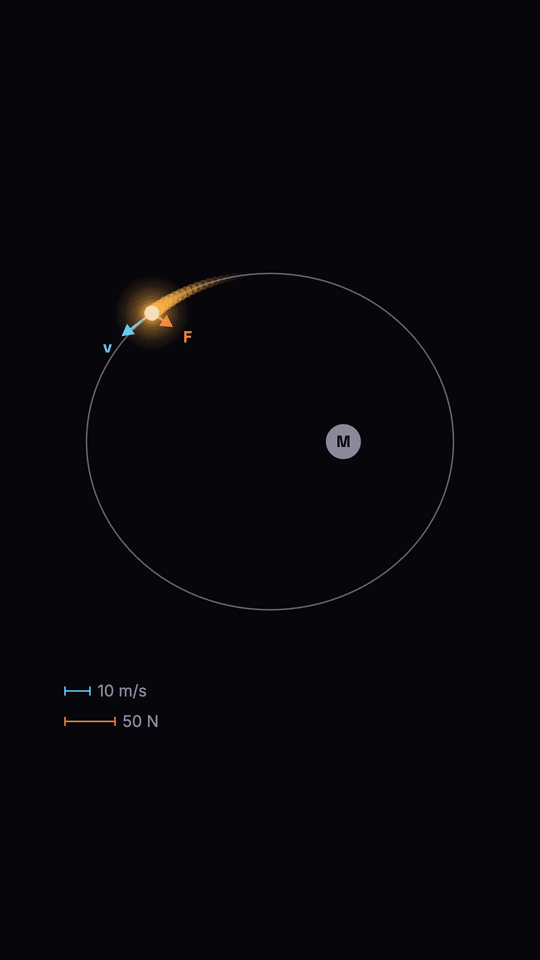
A body on a circular or elliptical orbit with its velocity and force arrows drawn to scale, like FreeBody: each arrow is exactly magnitude * scale px from tail to tip, and a scale bar for each says how much that is. The body is the one Spark; the central mass is a plain disc at a focus of the ellipse.
What is exact: the position (Kepler's equation is solved, so the body is at periapsis at t = 0 and every period, at apoapsis half a period later, at distances a(1 - e) and a(1 + e)); the force arrow always points at the central mass; the velocity arrow is tangent to the path (perpendicular to the radius on a circle); the magnitudes follow vis-viva for speed, v sqrt(2a/r - 1), and the inverse square law for force, F (a/r)^2, where v and F are the speed and force at a distance of semiMajor. What is not: v and F are the caller's numbers in the caller's units, so nothing is checked against a real gravitational constant, and the arrow scale (px per unit) is independent of the scale of the drawn orbit. A pure function of the frame; nothing is drawn before at. Find the elements by data-ovs-arrow (velocity, force, with data-ovs-magnitude and data-ovs-length), data-ovs-mass, data-ovs-body, data-ovs-orbit-path and data-ovs-scale.
| Prop | Type | Default | Notes |
|---|---|---|---|
semiMajor | number (px) | 34% of the shorter side | The radius, for a circle. |
eccentricity | number | 0 | 0 is a circle; capped at 0.95. |
period | number (frames) | required | One full orbit. |
v, F | number | none | Speed and force at distance semiMajor. On a circle they are the speed and force all the way round. |
speedAt, forceAt | (r: px) => number | vis-viva, inverse square | Override the physics. |
scale | { velocity, force } | required | Pixels per unit of magnitude. |
units | { velocity?, force? } | "m/s", "N" | On the scale bars. |
scaleValue | { velocity?, force? } | a round value near half the periapsis value | What each scale bar stands for. |
centre | { x, y } | puts the whole ellipse in the middle of the frame | Where the central mass is (the focus). |
periapsisAngle | degrees | 0 | Direction of the closest point, counter-clockwise from the right. The body starts there. |
clockwise | boolean | false | |
arrows | boolean | true | false hides the arrows and the scale bars. |
at, arrowsAt | number (frame) | 0, at + 12 | The arrows grow over ORBIT_ARROW_FRAMES (14). |
massRadius, centreLabel | number, string | 3.2% of the shorter side, none |
orbitState(shape, t) returns { anomaly, r, offset, tangent, towardCentre } for a body t frames after release.
VectorField
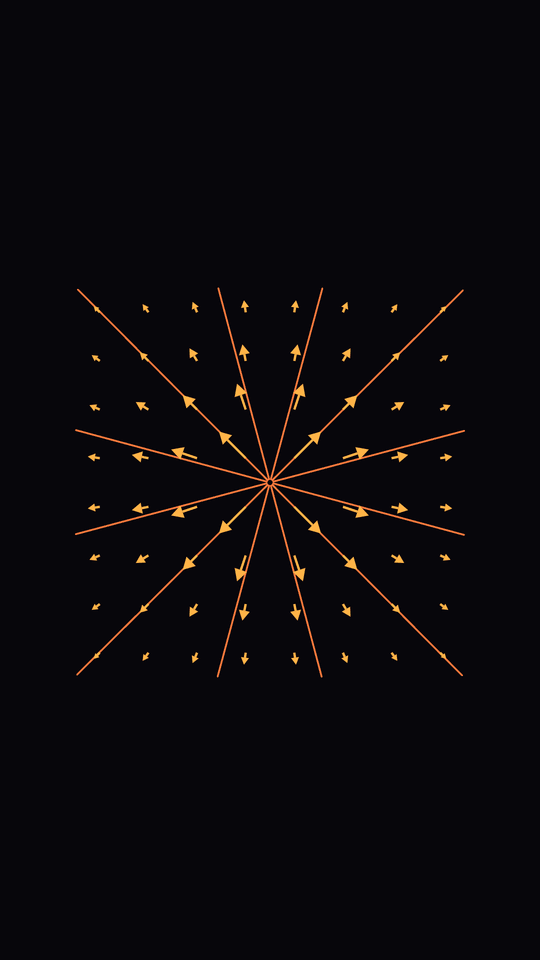
Arrows on a grid for a vector field (x, y) => [fx, fy] given in graph coordinates, with optional field
lines, for a physics lesson on electric or gravitational fields. Inside an <Axes> it uses that mapping;
on its own it takes a box and xRange/yRange. Each arrow starts at its grid point (cell centres) and is
exactly |f| * scale px from tail to tip, with arrowheads like FreeBody's. Nothing is capped or
normalised unless maxLength or normalize is given, and then the arrows that are capped or normalised no
longer show |f|, so say so in the narration. Arrows and lines point along (fx, -fy) in px whatever the
axes' scales; give the box and ranges equal px per unit (a square box over square ranges) if the picture
should look like the field does in the plane. With fieldLines, streamlines are traced from the seeds by
integrating the field (RK4, fixed step, deterministic) both ways until they leave the box, run into a zero
or a source, or close up, and are drawn on after the arrows. A point charge's radial field with its lines
is the sample scene.
| Prop | Type | Default | Notes |
|---|---|---|---|
field | (x, y) => [fx, fy] | required | Graph point to vector, y up. Return [0, 0] where undefined (a charge's own position) |
grid | { columns, rows? } | 7 columns, rows to keep cells square | Arrows are at the cell centres, so a grid never sits on the origin or an edge |
scale | number | longest arrow is 80% of a cell | Pixels per unit of ` |
normalize | number | off | Every arrow this many px long, direction only |
maxLength | number | off | Cap in px. Capped arrows are shorter than |f| * scale |
fieldLines | boolean | false | Trace and draw field lines |
seeds | [x, y][] | every other grid point | Graph points the lines start from, each traced both ways |
box, xRange, yRange | Box, [n, n] | frame-sized box, [-1, 1] | Used outside <Axes>. Inside one, the Axes' own are used |
color, lineColor | string | physics amber, ember | |
at, lineDuration | number | 0, 45 | When the arrows start growing (20 frames, FIELD_ARROW_FRAMES), and how long the lines take to draw on after that |
Helpers: vectorFieldGrid(geometry, props) returns each arrow (world, screen tail, length, unit
dir), and traceFieldLine(geometry, field, seed, step) one streamline as px points. Elements carry
data-ovs-vectorfield, data-ovs-arrow (with data-ovs-gx, data-ovs-gy, the grid point) and
data-ovs-fieldline.
ComplexityCurve
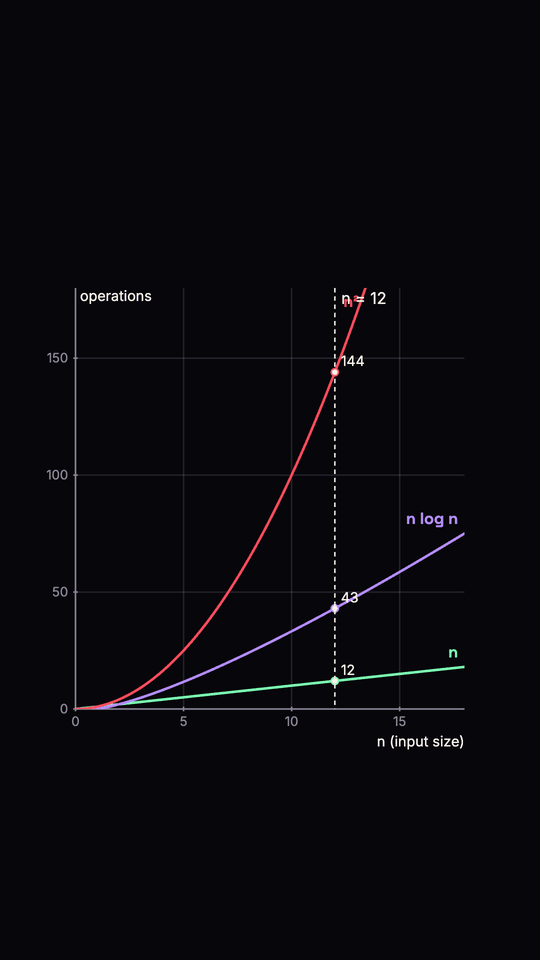
The growth of n, n log n and n^2 plotted together on shared axes, with a marker for a chosen n: a
dashed vertical rule, a dot on each curve and the value there. Built from Axes and Plot, so a curve
that climbs past yMax is clipped at the top of the plot. The log is base 2: the n log n curve is
n * log2(n) (drawn as 0 for n at or below 1). Each curve has its own accent (n green, n log n the cs
violet, n squared red) and is named at its end. The curves are drawn on over duration frames, and the
marker and names appear once the draw-on reaches them. The marker at n = 12 is the sample scene.
| Prop | Type | Default | Notes |
|---|---|---|---|
curves | ("n" | "nlogn" | "n2")[] | all three | Which to draw, in this order |
n | number | none | The marked input size. Dots sit at Axes.toScreen(n, f(n)) |
xMax | number | 1.5 * n, or 16 | Right end of the x axis (it starts at 0) |
yMax | number | 1.25 * the largest value at n, or the largest at xMax | Top of the y axis |
at, duration | number | 0, 60 | Draw-on start frame and length |
box | Box | frame-sized | Where the plot sits |
labels | boolean | true | Curve names at their ends, the values at the dots and "n = 12" |
Also exports complexityValue(kind, n), COMPLEXITY_NAMES and COMPLEXITY_COLORS. Elements carry
data-ovs-complexity, data-ovs-plot="point", data-ovs-marker, data-ovs-marker-rule and
data-ovs-curve-label.
MatrixGrid
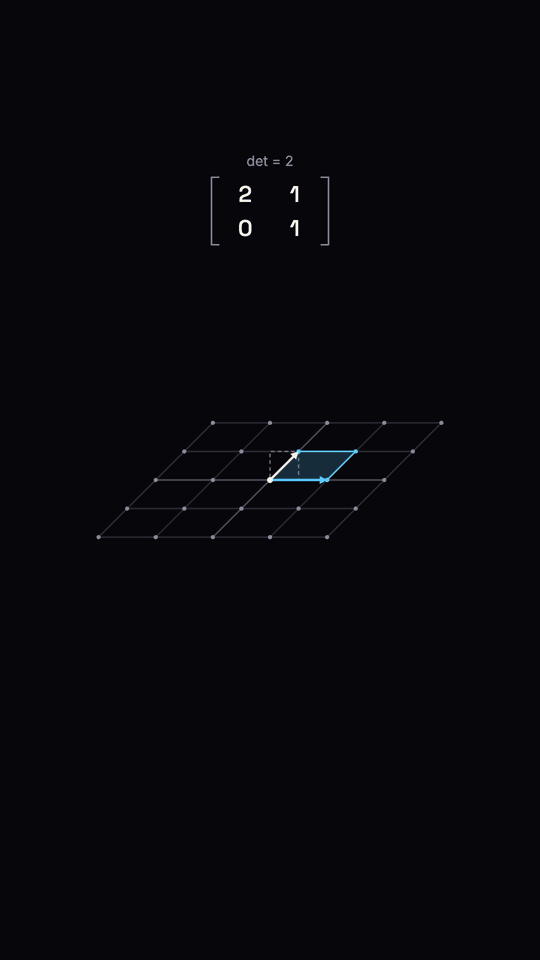
A 2x2 matrix acting on the plane. A grid of points (and the lines through them), the unit square and the images of i-hat and j-hat move from the identity to the matrix over at to at + duration. Every entry is interpolated linearly from the identity, so each frame shows the plane under I + p (M - I) and the last frame exactly M. The picture is honest: a point (x, y) is drawn at scale px per unit times M * (x, y), the origin never moves, and the square is drawn flipped when the determinant is negative (data-ovs-orientation). The matrix is shown in brackets above the plane in portrait and beside it in landscape, with its determinant. A pure function of the frame; nothing glows.
| Prop | Type | Default | |
|---|---|---|---|
matrix | number[][] | required | 2x2, rows first: [[a, b], [c, d]] |
at | number | 0 | Frame the picture appears and the transform starts |
duration | number | 45 | Frames from the identity to the matrix |
transform | boolean | true | false shows the plane already transformed |
ease | (t) => number | E.cinematic | Shapes the progress; (t) => t is linear |
grid | { extent?, spacing? } | { 2, 1 } | Reach and gap of the point grid, graph units |
unitSquare | boolean | true | Unit square, its image, and the i-hat and j-hat arrows |
showMatrix | boolean | true | Draw the matrix with its determinant |
box | Box | middle band (portrait), right side (landscape) | Where the plane is drawn; its centre is the origin |
scale | number | fits the grid and its image in the box | px per graph unit |
subject | Subject | "math" | Picks the accent |
Helpers: matrixGridGeometry(matrix, { width, height, box?, scale?, extent? }) returns { box, origin, scale, toScreen }; interpolateMatrix(m, progress) and applyMatrix(m, x, y) are the pure maths. DOM: data-ovs-point="x,y" (with data-ovs-sx/sy), data-ovs-corner, data-ovs-basis="i|j", data-ovs-unit-square, data-ovs-progress.
TreeViz
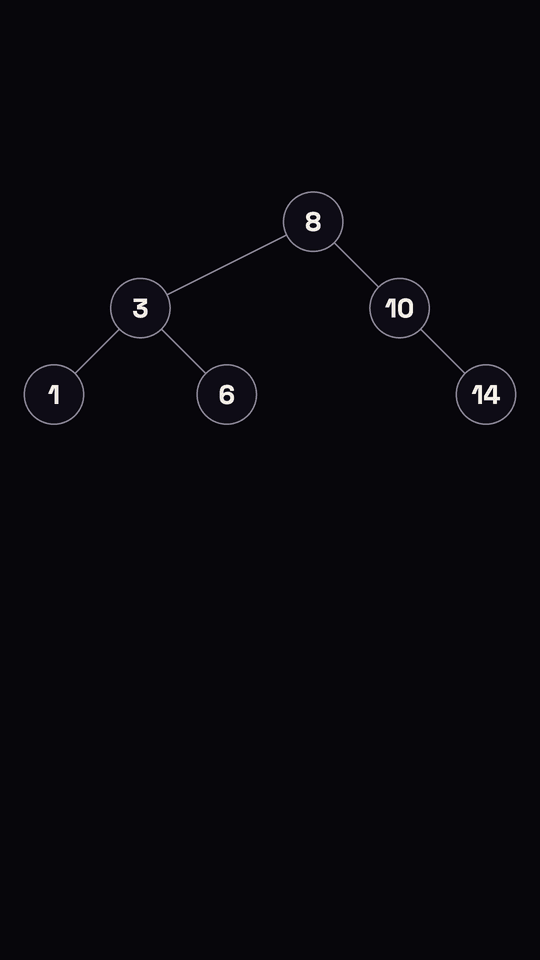
A binary search tree built one insert at a time, with traversals. The component builds the BST from values itself (smaller to the left, a repeated value skipped) and lays it out tidily from the frame size: x is the in-order rank, y the depth, so a left child is always left of its parent and a right child right of it, one level lower. Each node arrives with its edge. A Spark can walk from the root to the place of a value as it is inserted (the node appears when the Spark gets there). A traversal then lights the nodes in visit order, one every hop frames, and lists the visited values under the tree. The only glowing element is the Spark. A pure function of the frame.
| Prop | Type | Default | |
|---|---|---|---|
values | number[] | required | Inserted in this order |
at | number | 0 | Frame the first insert starts |
insertAt | number | 24 | Frames per insert (a walked insert also takes its walk) |
walkValue | number | last value | The Spark walks to this value's place |
spark | boolean | true | false turns the walk off |
walkHop, walkHold | number | 14, 8 | Frames per hop down, and resting on each node |
traversal | "inorder" | "preorder" | "postorder" | "level" | none | Light nodes in this order and list them |
traverseAt | number | 20 frames after the last insert | Frame the first node lights |
hop | number | 18 | Frames between one node lighting and the next |
highlight | number | none | Ring the node with this value |
subject | Subject | "cs" | Picks the accent |
Helper: treeLayout(values, { width, height, at?, insertAt?, walkValue?, spark?, walkHop?, walkHold?, traverseAt? }) returns { nodes: [{ value, order, parent, side, depth, x, y, appearFrame }], radius, orders: { inorder, preorder, postorder, level }, walkPoints, ... }. DOM: data-ovs-node, data-ovs-x/y, data-ovs-lit, data-ovs-edge="parent-child", data-ovs-visited with data-ovs-visit-index.
GraphViz
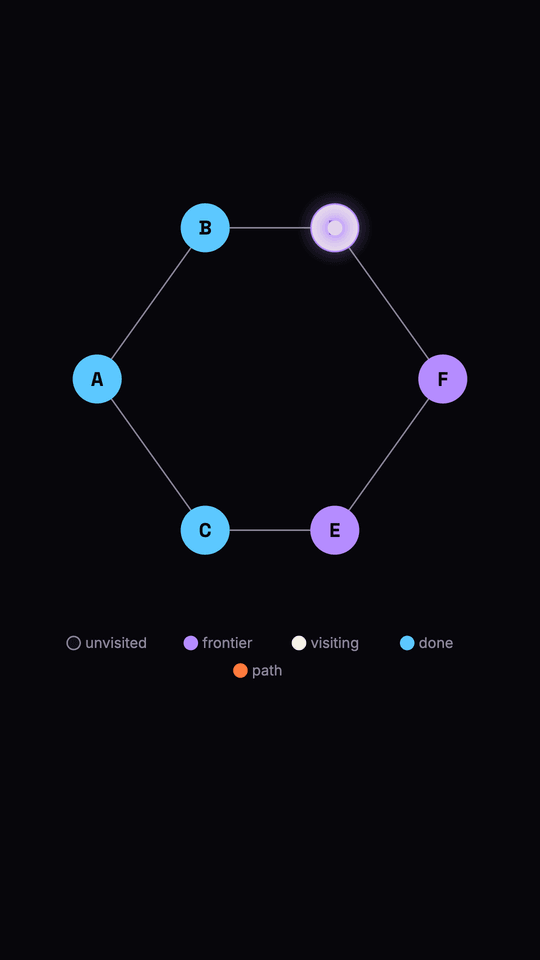
Nodes and edges for teaching graph search. Each node is coloured by its role at the current frame (dim: unvisited, violet: frontier, warm white: being visited, blue: done, ember: on the final path) and a legend names the roles. A walk hops one Spark from node to node (the only glowing element), using walk from paths.ts. Build steps from a real search with bfsSteps, not by hand.
| Prop | Type | Default | Meaning |
|---|---|---|---|
nodes | { id, x?, y?, label? }[] | required | x, y are fractions (0..1) of the layout box. Give all nodes both, or none: then they sit evenly on a circle that fits the box, from the top. label defaults to the id and is drawn inside the node. |
edges | [from, to][] | required | Lines run centre to centre. |
directed | boolean | false | Arrowheads; lines stop at the node edge. |
steps | { frame, visit?, frontier?, done?, path? }[] | none | A snapshot from frame on: the latest step at or before the current frame gives every node's role. Nodes in none of its lists are unvisited. Edges between consecutive nodes of path are drawn in ember at twice the weight. |
walk | string[] | none | Node ids a single Spark hops along. The Spark rests on walk[k] during local frames [k*(hop+hold)+hop, (k+1)*(hop+hold)], so a step at walkAt + k*(hop+hold) + hop lines the colour up with the Spark. |
hop, hold | number | 20, 20 | Frames to move, and to rest on each node. |
walkAt | number | at | Frame the Spark starts. |
at | number | 0 | Frame the graph appears; nothing is drawn before it. |
box | { x, y, w, h } | 80% of the width, from 17% down, 45% of the height | The layout box in px. |
radius | number | 4.5% of the shorter side | Node radius. Label text is 80% of it, the legend is 2.7% of the shorter side. |
legend | boolean | true | The role legend, below the box, wrapped to the box width. |
Helpers: bfsOrder(adjacency, start) (visiting order, neighbours in listed order), shortestPath(adjacency, from, to) (fewest edges, or null), adjacencyFrom(edges, directed?, ids?), bfsSteps(adjacency, start, { first, every, goal? }) (a step per visited node: that node visiting, the earlier ones done, the discovered ones frontier; with goal, a last step showing the shortest path), graphLayout(nodes, width, height, { box, radius }) (centres in px). GRAPH_ROLE_COLOR holds the role fills.
The glow budget
One glowing element at a time. Spark and Nova draw their glow through Glow, which tags its element
with data-ovs-glow and data-ovs-glow-level; countGlowing(root) counts the elements above
GLOW_VISIBLE_LEVEL. A Spark is one, a Nova's flash is one (the ring and particles do not glow).
Pixel narrator and depth kit: @openvidstudio/styles
Plain TypeScript modules that draw to a 2D canvas context, for canvas explainers (hand-written or built by render_canvas_explainer). No React, no WebGL, no dependencies. Everything is a pure function of its inputs and of t in seconds: the same t draws the same pixels. Randomness comes from createRng(seed) (a seeded mulberry32), never from the platform's global generator, and a test greps the package for it. import { ... } from "@openvidstudio/styles".
Sprites and the narrator
makeSprite(palette, frames, fps?) builds a palette-indexed string-grid sprite: each frame is equal-width strings, each character a palette key, . is transparent, and a ragged row or a key missing from the palette throws. drawSprite(ctx, sprite, x, y, scale, frame) draws one frame with integer-scale fillRect and smoothing off, so a sprite pixel is exactly scale by scale device pixels (scale and position are rounded to whole pixels). Options: tint (a silhouette in one colour), flipX, palette (override colours by key). frameAt(sprite, t) is the frame that plays at t.
drawNarrator(ctx, pose, x, y, scale, t, accent?) draws the one recurring narrator, a 16x23 pixel character whose shirt takes the lesson's accent. narratorSprite(pose, accent?) and narratorFrame(pose, t) give the sprite and the frame at t. Poses: idle, talk, point, think, celebrate.
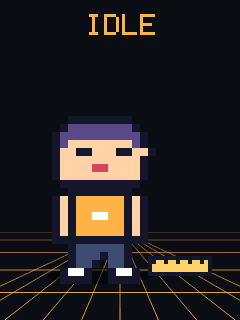
idle: arms down, a blink every couple of seconds.

talk: the mouth cycles closed, half, open at 8 frames a second. Drive it only while the voice is speaking.
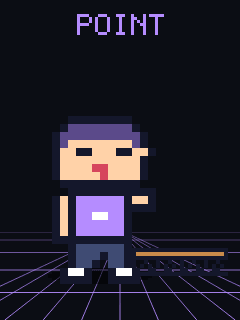
point: the right arm reaches out (toward the right of the frame), a two-frame wobble. Place the thing pointed at to his right.

think: a hand at the chin, and three dots that appear one after another above the head.

celebrate: both arms up, a two-frame jump with sparkles. Use it on the payoff.
Props are sprites in a registry: ball, ruler, battery, cable, bridge (a truss section) and bat. drawProp(ctx, name, x, y, scale, t?) draws one, getProp(name) returns it, propNames() lists them. A lesson adds its own with registerProp(name, makeSprite(...)); a name that already exists is refused unless overwrite is passed, so a lesson cannot silently change a built-in.
Depth without WebGL
new Parallax({ width, height, seed?, layers?, horizon?, speed?, accent? })holds three to five layers (fewer or more throws), drawn far to near. A layer is{ kind: "stars" | "hills" | "towers" | "dots", color, depth (0 far, 1 near), blur?, count?, amplitude? }. Each layer is rendered once into a wrapping tile, far layers pre-blurred (blur), soparallax.draw(ctx, t, camera?)is a fewdrawImagecalls. Near layers scroll faster and zoom more with the camera. With nolayers,defaultLayers(accent)gives four.dolly(t, { from?, to, start?, duration, ease? })returns the camera{ scale, x, y }att; pass it toparallax.draw, or toapplyCamera(ctx, camera, width, height)for foreground drawing.drawFloorGrid(ctx, area, t, { horizon, vanishX?, color?, rows?, cols?, speed?, fog? })draws a perspective floor: lines converge on the horizon and scroll toward the viewer witht; nothing is drawn above the horizon.drawFog(ctx, area, horizon, { color?, strength?, reach? })is the depth fog: a band at the horizon that fades into the ground colour.drawShadow(ctx, cx, cy, rx, ry, alpha?, pixel?)is a hard-edged pixel ellipse on the ground;drawSpriteShadow(ctx, sprite, x, y, scale, frame?, opts?)draws a sprite's offset silhouette (draw it before the sprite).
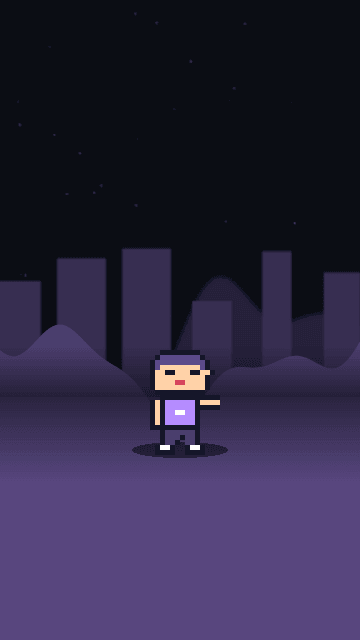
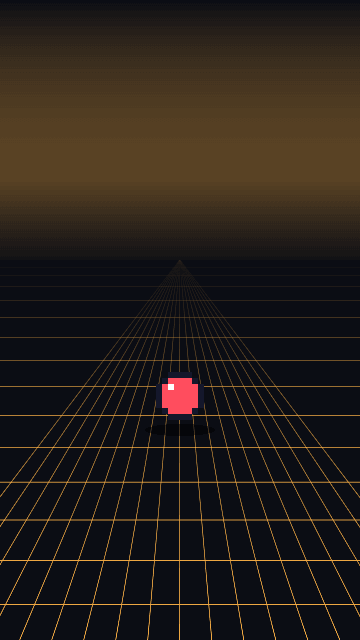
A frame of the full scene (parallax, floor grid, fog, shadow, narrator, prop, caption) draws in about 12 ms at 720x1280 in headless Chromium, and the styles-depth test holds it under 30 ms.
Accents, font and sound
ACCENTS has one accent per subject: maths blue #5CC8FF, physics amber #FFB347, computer science violet #B58CFF, chemistry red #FF4D5E, biology green #7CFFB2 (Subject is "math" | "physics" | "cs" | "chemistry" | "biology"). VOID (#0B0D14) is the dark ground the kit is drawn against.
The pixel font has two paths. drawPixelText(ctx, text, x, y, scale, color) uses a 5x7 bitmap font written for this package (uppercase, digits and basic punctuation) and draws it with fillRect; nothing is fetched or vendored, so it works offline, and it is Apache-2.0 like the package. For text that goes through the normal font stack (fitText, captions), PIXEL_FONT names Press Start 2P (SIL Open Font License 1.1) and its Google Fonts stylesheet URL; the package loads nothing itself, so a lesson that wants that face adds the link and text falls back to monospace without it.
CHIP_SOUNDS is a chip-style sound palette as plain data: { name, wave: "square" | "triangle" | "sawtooth" | "noise", gain, env: { attack, decay, sustain, release }, notes: [{ at, dur, note, slideTo? }] } with blip, confirm, wrong, think, point, celebrate, step and whoosh. noteToHz("A4") is 440. scheduleChip(audioContext, sound, when) plays one on Web Audio (noise comes from the seeded generator, so it is the same samples every time); chipDuration(sound) gives its length, and registerChipSound adds a lesson's own. Because it is data, the same palette can be rendered offline into the narration mix.
Vertical layout: 720x1280
LOGICAL_WIDTH and LOGICAL_HEIGHT (720 and 1280, also LOGICAL_SIZE) are the logical canvas of a Reel. The helpers keep the platform's own interface off your content:
safeArea(width, height)returns{ x, y, w, h }: the top 14% and the bottom 22% are clear, and 5% is kept at each side. At 720x1280 that is x 36, y 179, w 648, h 819 (the area ends at y 998). It is computed from proportions, so it is right for other sizes too.insideSafeArea(width, height, rect)tests a rectangle.fitText(ctx, text, maxWidth, maxLines, startSize, role?, family?, weight?)returns the largest font size at which the text wraps into at mostmaxLineslines no wider thanmaxWidth, never below the role's minimum:"headline"44,"label"28,"number"64 (ROLE_MIN_SIZE). AstartSizebelow the minimum is raised to it.fitTextLayouttakes the same arguments and returns{ size, lines, fits }:fitsis false when even the minimum overflows, which means the text is too long and should be shortened, not shrunk.captionBand(width, height)is the caption band: full safe width, resting on the bottom edge of the safe area, room for two lines.drawCaption(ctx, text, width, height, style?)fits the text at label size into it and draws it.
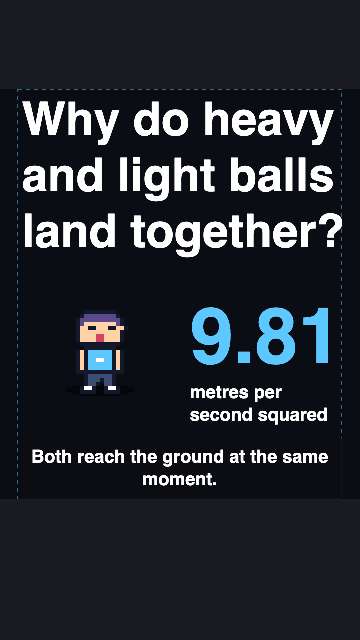
Reframe-by-cropping is not offered. Cropping a landscape layout to vertical cuts it, so there is no helper that does it; lay the frame out vertically with the helpers above. The renderer's width and height arguments carry the vertical size through to an explainer, which draws at that size.